
Why Passwordless Authentication Matters for Remote Desktop
Remote Desktop Protocol (RDP) remains one of the most widely used technologies for remote administration, server management, application support, and remote workforce access. Unfortunately, it also remains a common target for credential theft, phishing attacks, password spraying, and ransomware operators.
While organizations often protect Remote Desktop with multi-factor authentication, many deployments still rely on passwords as the primary authentication factor. Passwordless authentication reduces this dependency by removing password entry from the user experience while strengthening identity verification.
For organizations seeking stronger security and a better user experience, Remote Desktop is often one of the most valuable authentication workflows to modernize.
Why Remote Desktop Is Frequently Targeted
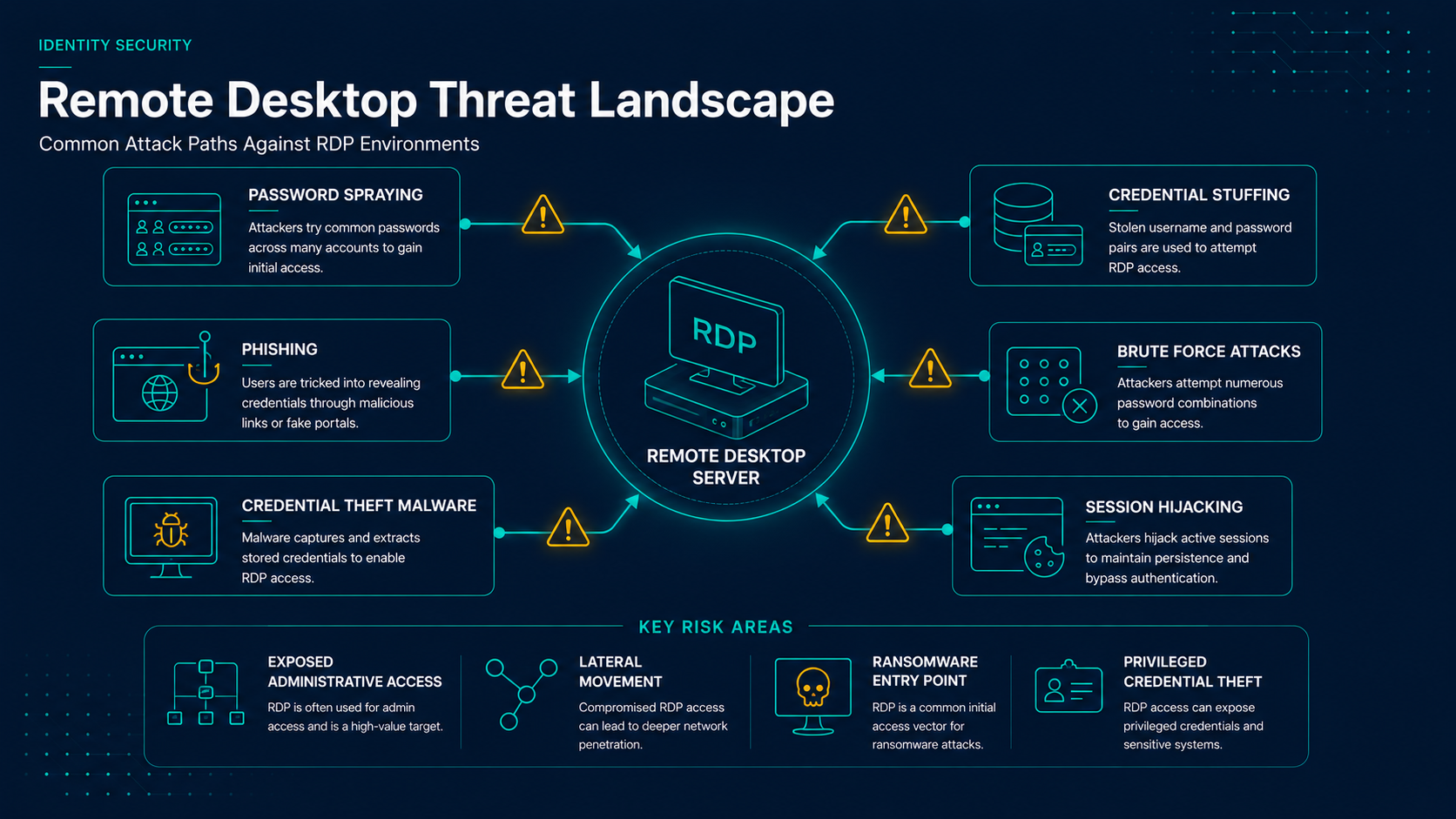
Common Risk Factors
- Exposed RDP services remain a common attack vector.
- Credential theft often leads directly to server compromise.
- Administrative accounts frequently access RDP systems.
- RDP is commonly targeted by ransomware operators.
- Password spraying remains effective against weak credentials.
- Remote access infrastructure is often internet-facing.
Key Takeaways
- RDP remains a common attack target.
- Password-based RDP authentication increases credential exposure.
- Passwordless authentication strengthens Remote Desktop security.
- Modern authentication methods improve both security and usability.
- Remote Desktop is a high-value target for identity modernization initiatives.
Compromised RDP credentials frequently play a role in ransomware incidents, business email compromise investigations, and unauthorized administrative access.
Traditional Remote Desktop Authentication
Most Remote Desktop deployments follow a familiar authentication process:
- Remote Desktop Client
- Enter Username
- Enter Password
- MFA Challenge
- Access Granted
While this approach is significantly better than password-only authentication, it still relies heavily on password protection and user behavior.
Attackers increasingly exploit weaknesses in these workflows through phishing campaigns and stolen credentials.
How Passwordless Authentication Changes the Workflow
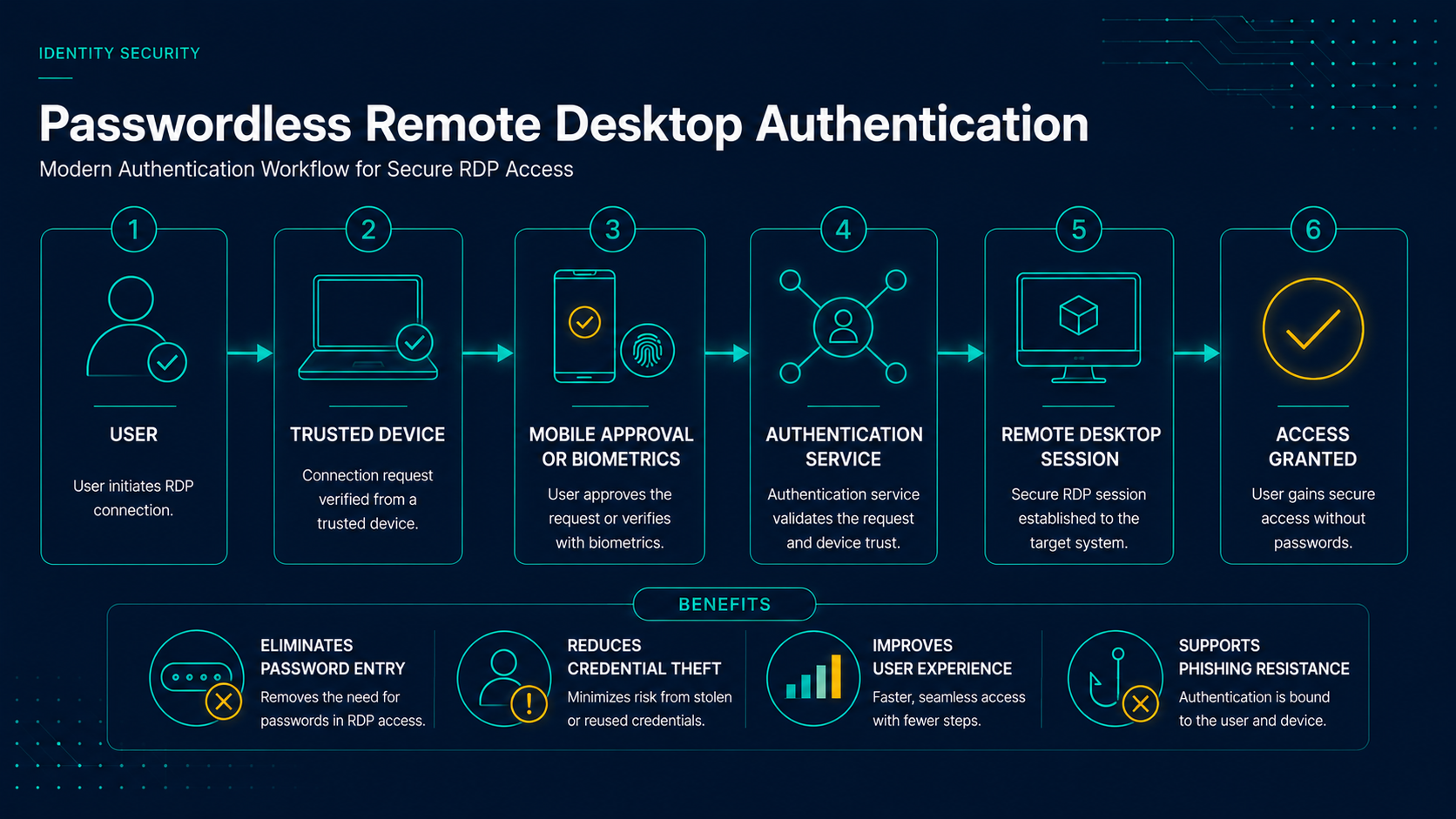
Common Passwordless Authentication Methods
- FIDO2 Security Keys: Hardware-bound authentication resistant to phishing.
- Passkeys: Device-bound credentials using public key cryptography.
- Mobile Approval: Authentication through a trusted mobile device.
- Biometrics: Fingerprint or facial verification.
- Certificates: Device and user certificate authentication.
Instead of proving knowledge of a password, users prove possession of a trusted device and, in many cases, verify their identity through a biometric or local authentication factor.
Benefits of Passwordless Remote Desktop Authentication
- Reduce password exposure.
- Strengthen identity verification.
- Improve user experience.
- Eliminate password reuse.
- Reduce phishing risk.
- Support Zero Trust initiatives.
Why NLA Still Matters
- Authenticates users before establishing a full RDP session.
- Reduces exposure to unauthorized connection attempts.
- Works alongside passwordless authentication solutions.
- Maintains compatibility with Active Directory environments.
Common Deployment Scenarios
Passwordless Remote Desktop authentication is commonly deployed across several high-value administrative and operational workflows.
- Server Administration
- Help Desk Support
- Managed Service Providers
- Remote Workforce Access
- Privileged Accounts
- Jump Servers
Organizations often prioritize privileged accounts and administrator access during initial deployments.
Passwordless Authentication and Privileged Access Management
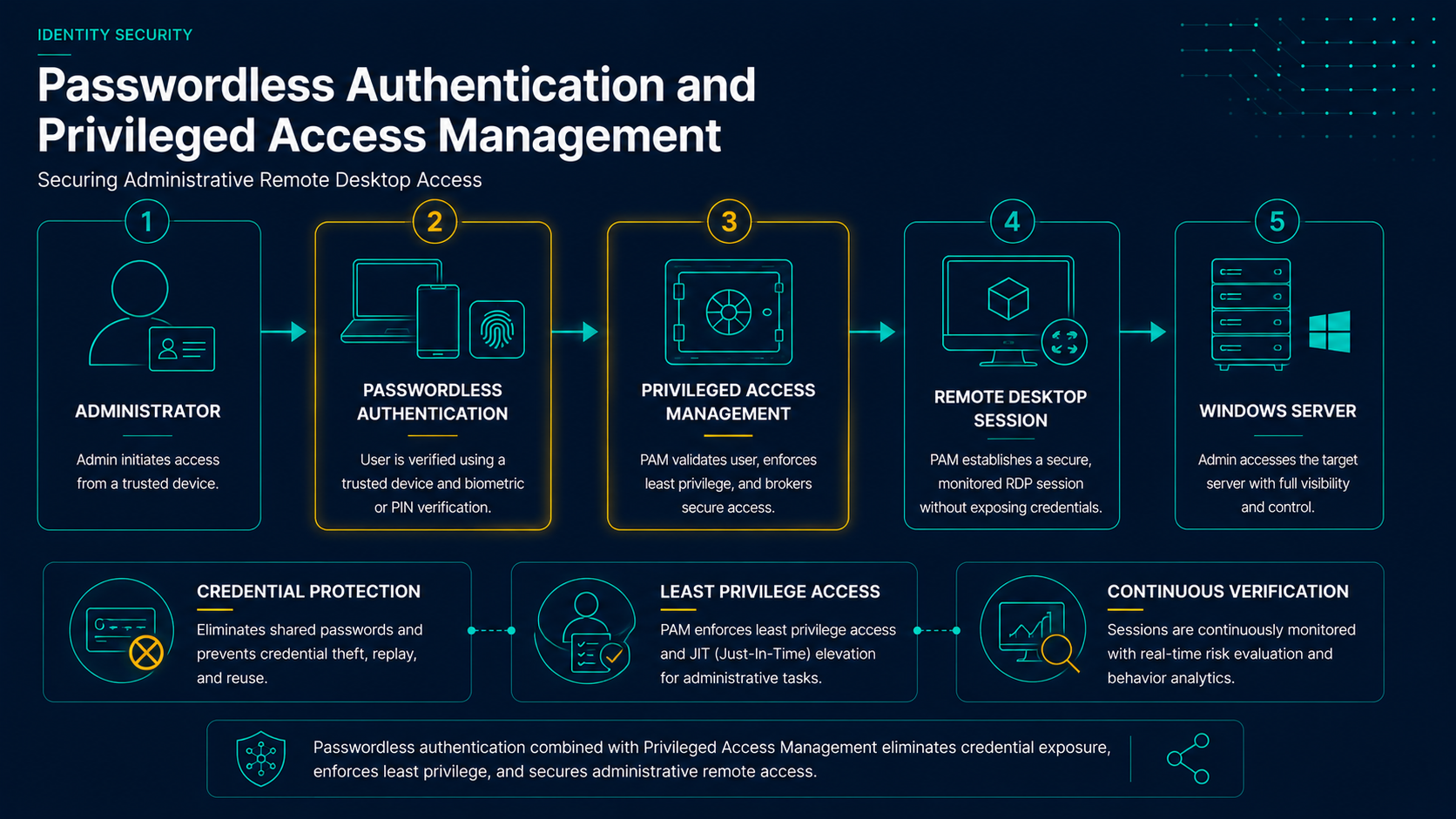
Remote Desktop frequently provides access to highly privileged systems. As a result, passwordless authentication often complements broader Privileged Access Management (PAM) and identity security initiatives.
Combining passwordless authentication with least privilege principles, privileged access controls, and Zero Trust architectures can significantly reduce identity-related risk.
Migration Roadmap
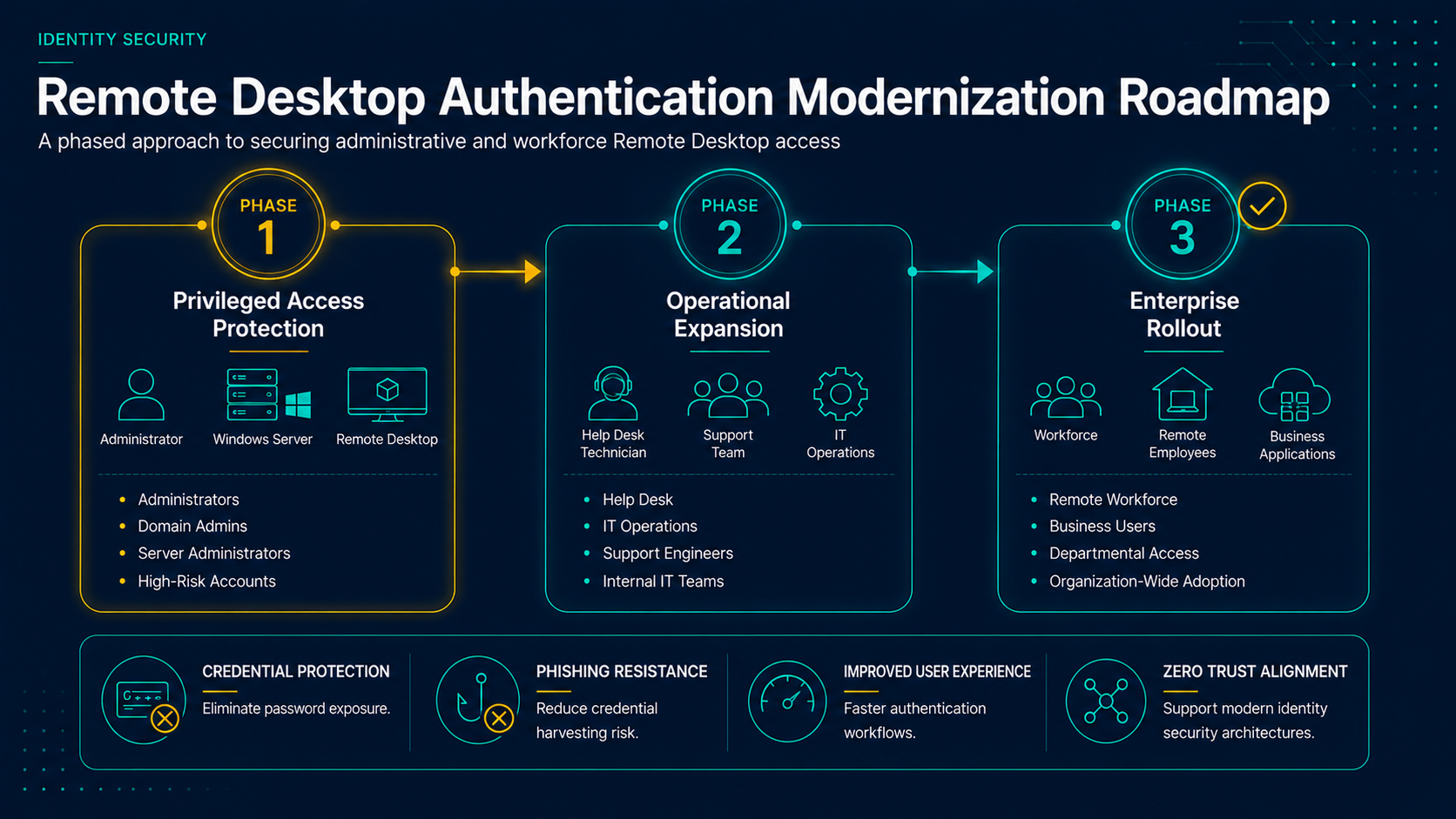
- Phase 1: Protect administrators and privileged Remote Desktop users
- Phase 2: Expand passwordless authentication to support teams and IT operations
- Phase 3: Deploy passwordless authentication broadly across Remote Desktop workflows
How Remote Desktop Fits Into Identity Modernization
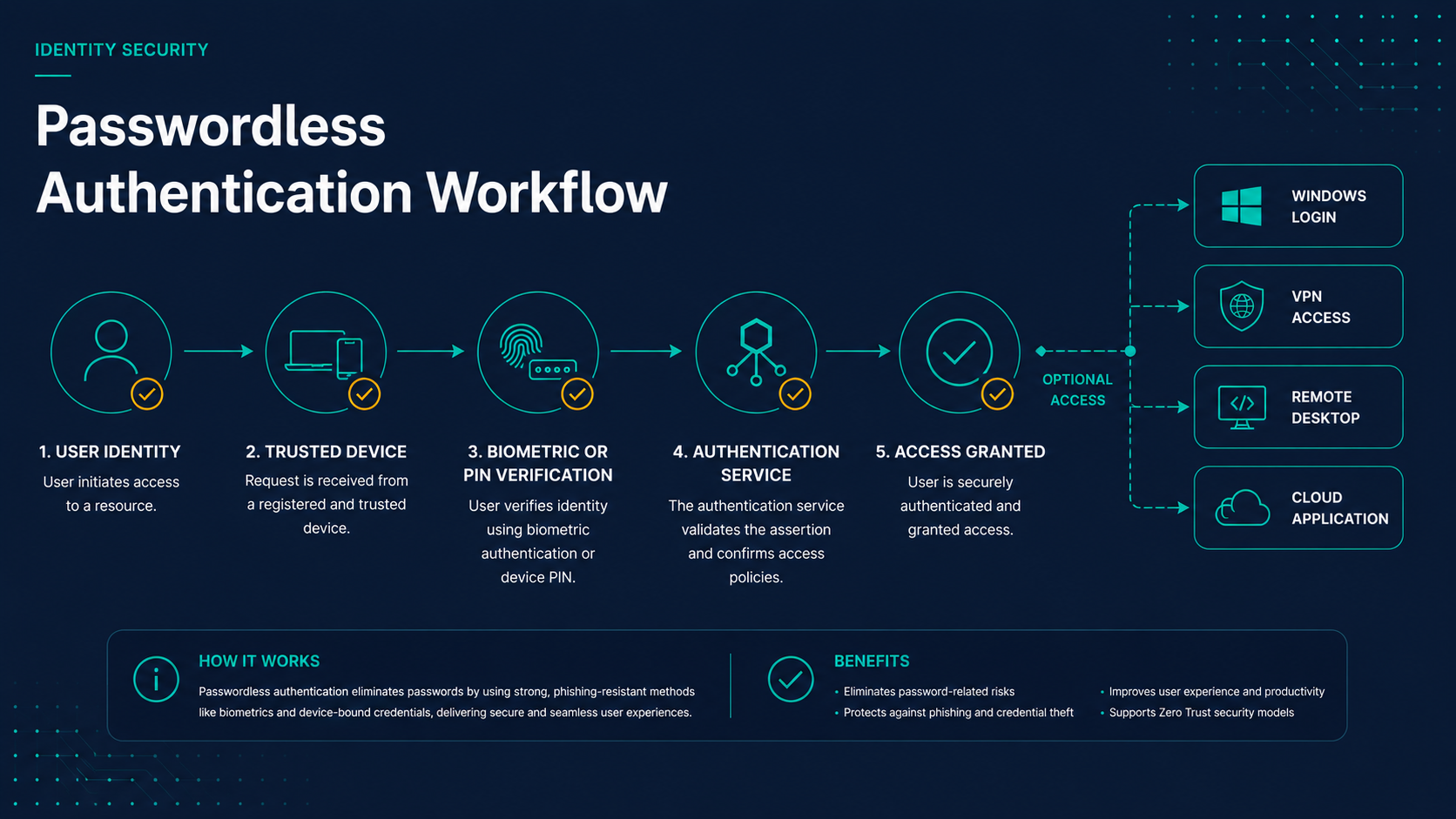
Remote Desktop often represents one of the last major password-dependent workflows within an organization. Modernizing RDP authentication can significantly improve security while reducing operational friction.
Organizations frequently modernize the following authentication workflows together:
- Active Directory workstation and server login
- VPN authentication workflows
- Remote Desktop access
- Privileged administrative access
- Cloud application authentication
Together, these improvements help build a stronger and more resilient identity security posture.
Remote Desktop Modernization Priority
Remote Desktop remains one of the highest-value authentication workflows to modernize because it combines privileged access, remote connectivity, and frequent credential exposure. Organizations that modernize RDP authentication often achieve both security improvements and measurable reductions in password-related support issues.
Final Thoughts
Remote Desktop remains an essential business technology, but it also presents significant security challenges when protected primarily by passwords.
Passwordless authentication helps organizations reduce credential exposure, strengthen identity verification, improve user experience, and align with broader identity modernization strategies.
For organizations evaluating passwordless authentication, Remote Desktop is often one of the most impactful areas to modernize.