
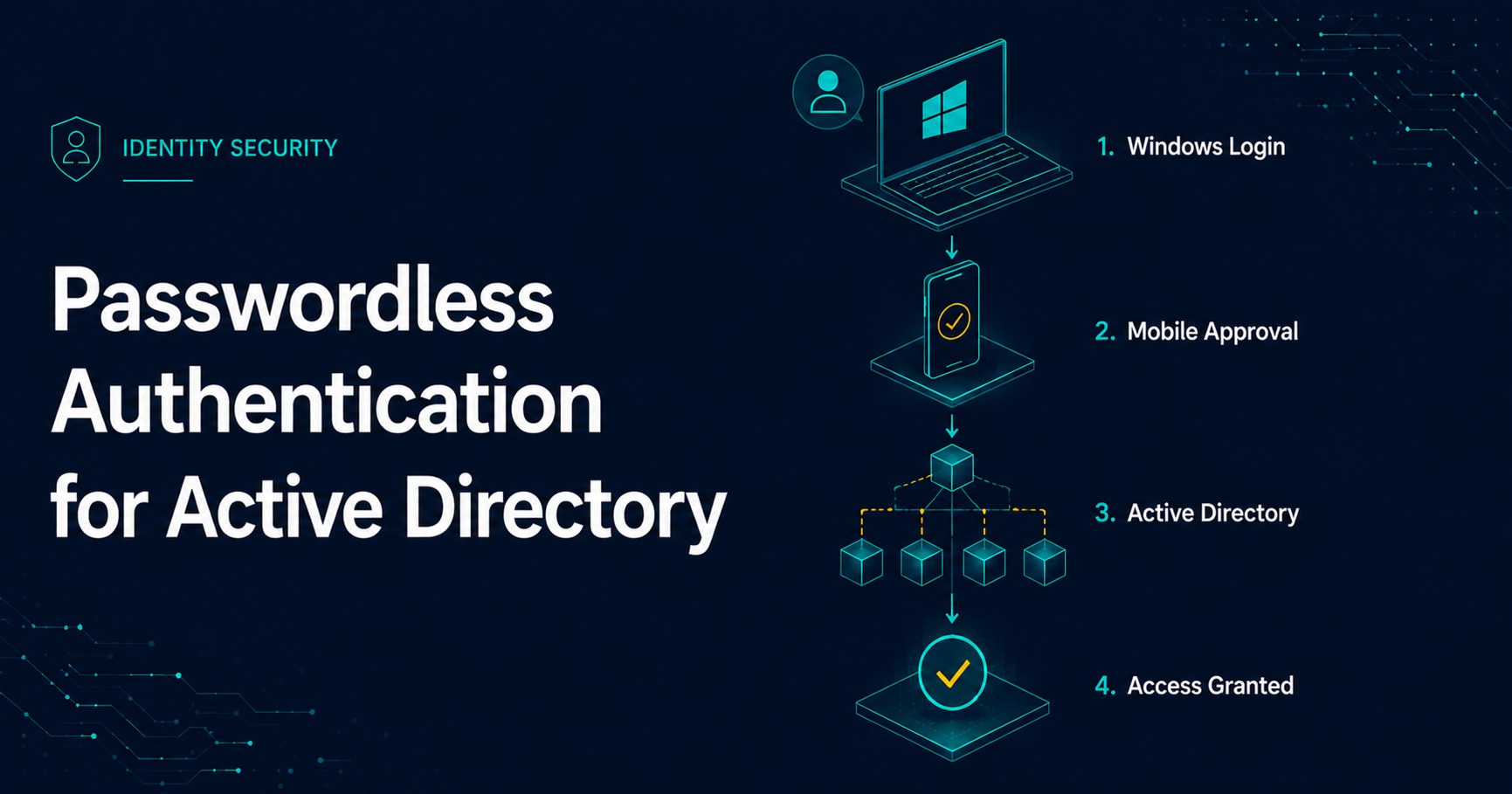
Why Passwordless Authentication Still Matters for Active Directory
Passwordless authentication is often discussed as a cloud identity initiative, but many organizations still need to secure traditional Active Directory environments, domain-joined Windows workstations, administrative prompts, Remote Desktop workflows, VPN access, and legacy applications. For those environments, the goal is not simply to remove a password prompt. The goal is to reduce password exposure, enforce strong authentication, and preserve compatibility with systems that still expect Active Directory credentials.
This article walks through a practical Active Directory passwordless authentication model using the Secret Double Octopus platform. Direct Business Technologies is a strategic partner and integrator for Secret Double Octopus, and we help organizations design and deploy passwordless authentication across hybrid, on-premises, and legacy identity environments.
Key Takeaways
- Eliminate daily Active Directory password entry.
- Enforce phishing-resistant authentication.
- Protect Windows login, VPN, RDP, SSH, and administrative workflows.
- Reduce password reset and account lockout tickets.
- Improve alignment with HIPAA, PCI-DSS, CMMC, NIST, and SOC 2 security objectives.
Where Passwordless Authentication Fits in Active Directory Environments
In a Microsoft Active Directory environment, passwordless authentication can protect more than web-based SSO. A well-designed deployment can extend passwordless authentication into the places where users and administrators still commonly enter domain credentials.
Common Passwordless Authentication Integration Points
- Windows, macOS, and Linux desktop login
- VPN authentication
- Run-as administrator operations, including PowerShell and elevated tools
- Remote Desktop authentication, including Network Level Authentication prompts
- SSH authentication
- SAML 2.0 applications such as Microsoft 365, Okta-integrated apps, Google Workspace, CRM platforms, and helpdesk systems
- VDI platforms such as Citrix, VMware, and Parallels
- Microsoft Exchange on-premises
- Custom and legacy application authentication workflows
- Air-gapped or segmented environments such as SCADA networks
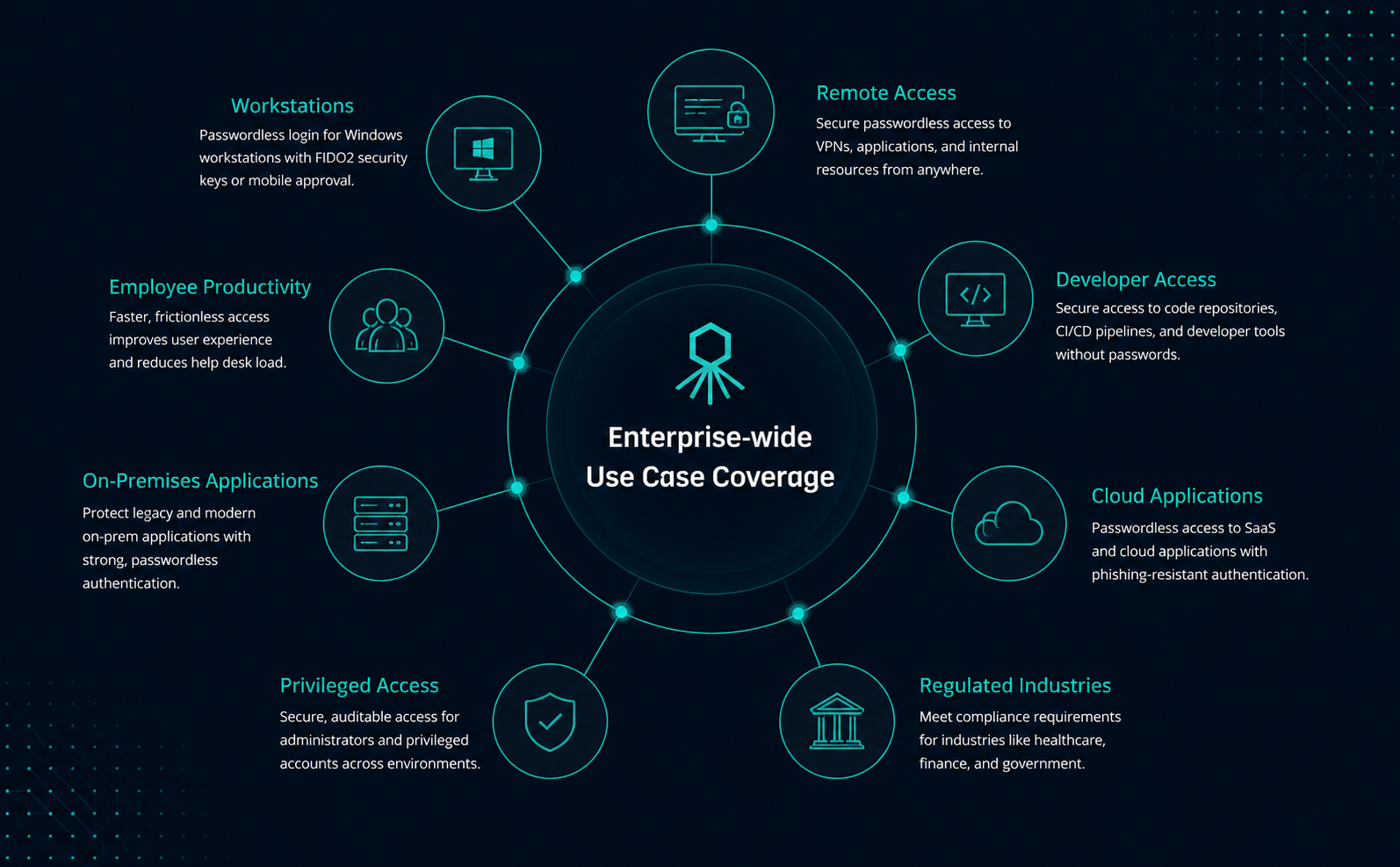
Why Organizations Move to Passwordless Authentication
The business case for passwordless authentication usually starts with security, but the operational benefits are often just as important. Password-related support issues create friction for users, consume helpdesk time, and introduce avoidable risk through password reuse, weak passwords, phishing, credential theft, and account lockouts.
Core Benefits
- Reduced password exposure: Users no longer type domain passwords into routine Windows and application prompts.
- Phishing-resistant authentication options: FIDO2 keys, mobile approvals, and other strong authenticators can reduce dependence on phishable credentials.
- MFA enforcement at the authentication event: Authentication can require trusted-device approval and local biometric, Face ID, PIN, or passcode verification.
- Lower helpdesk volume: Password reset and account lockout requests can drop significantly when users are no longer managing daily passwords.
- Improved user experience: Users can sign in with a clear approval workflow instead of remembering, rotating, and troubleshooting passwords.
- Regulatory alignment: Passwordless authentication can support security control objectives across frameworks such as PCI DSS, HIPAA, SOC 2, CMMC, DFARS, FTC Safeguards, and other compliance programs.
The End-User Experience
The most important test for a passwordless rollout is whether the workflow is easy enough for users and strong enough for security teams. The examples below show common authentication scenarios within the Microsoft Windows operating system.
Domain-Joined Workstation Login
For a domain-joined Windows workstation, the user signs in through the Secret Double Octopus credential provider instead of typing their Active Directory password directly into the Windows logon screen.
- The user enters their username.
- The user selects an authenticator when more than one option is available.
- The platform sends an approval request to the registered authenticator.
- The user approves the request and confirms identity using biometric verification, Face ID, device passcode, PIN, or another configured factor.
- The user is signed into Windows without typing their Active Directory password.
Demonstration: Passwordless authentication for a Windows Active Directory domain-joined workstation.
Run-as Administrator and CredUI Prompts
Passwordless authentication can also protect Windows Credential UI prompts. These prompts appear during workflows such as Run as administrator, Remote Desktop Network Level Authentication, application elevation, and other scenarios where Windows requests credentials.
In the example demonstration, the user is already signed into a demo workstation as DBTLAB02\justin and then launches PowerShell as an administrator. The credential provider invokes the passwordless authentication flow for the elevated operation, and the same authenticator can support multiple accounts.
- The user starts an operation that requires alternate or elevated credentials.
- The user selects the appropriate authenticator when required.
- The user approves the authentication request on the mobile authenticator.
- The user confirms identity with biometric verification, Face ID, device passcode, PIN, or another configured factor.
- The elevated operation proceeds without the user typing the protected Active Directory password.
Demonstration: Passwordless authentication for Run-as Administrator and Windows Credential UI prompts.
How the Authentication Flow Works
From the user's perspective, the workflow is simple: enter a username, approve the request, and get signed in. Under the hood, the platform coordinates the Windows credential provider, Secret Double Octopus authentication services, the user's registered authenticator, Active Directory, and the endpoint.
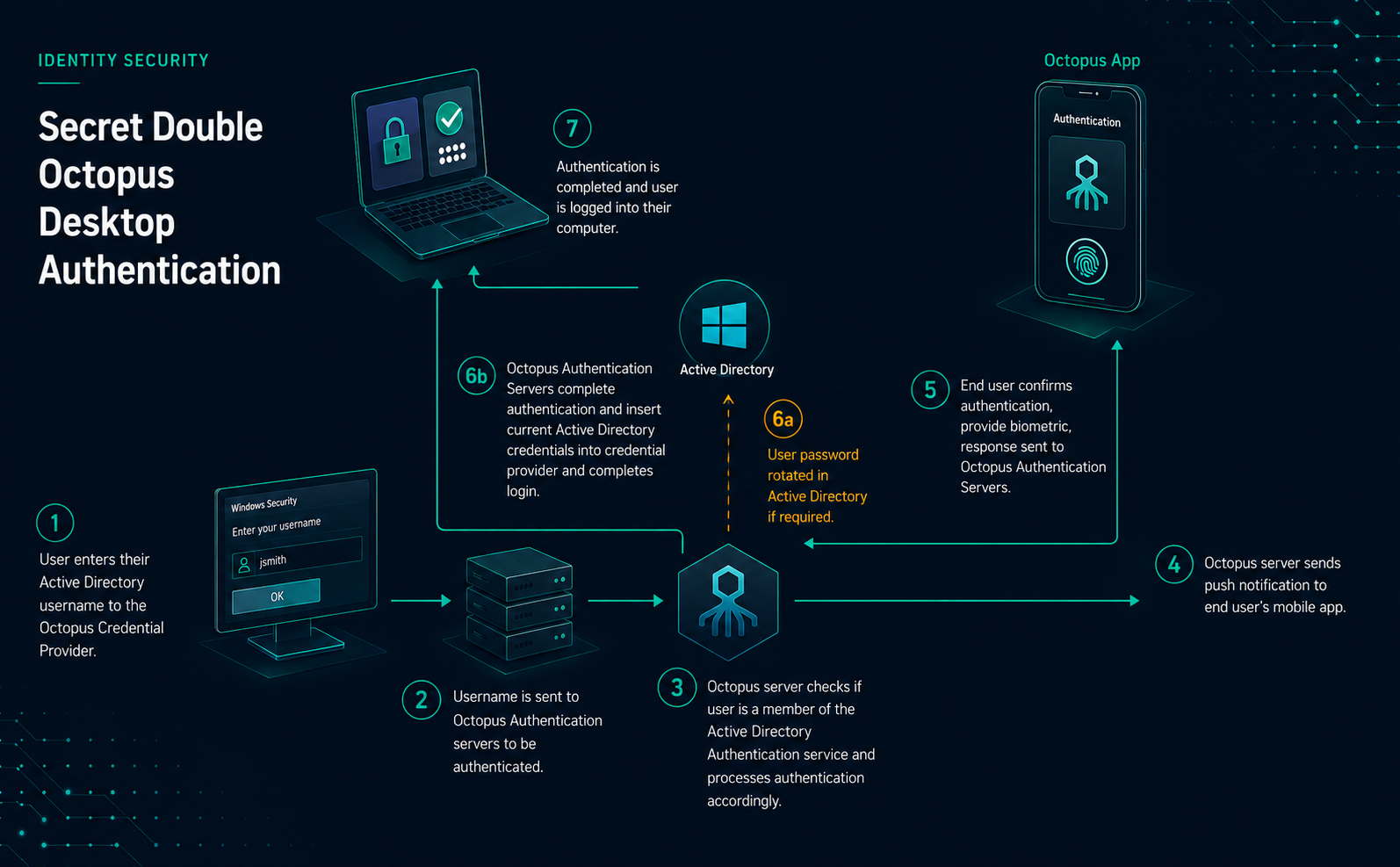
- The user enters their Active Directory username into the Octopus Credential Provider on the Windows endpoint.
- The username is sent to the Secret Double Octopus authentication service.
- The platform checks whether the user is assigned to the appropriate Active Directory authentication service and evaluates the configured policy.
- The platform sends a push authentication request to the user's registered mobile device or authenticator.
- The user approves the request on the trusted device and confirms identity using the configured local factor.
- When required by policy, the platform rotates the user's Active Directory password. Otherwise, it retrieves the vaulted credential needed for the Windows authentication event.
- The protected credential is delivered to the workstation and inserted into the Windows credential provider flow in the background.
- The user is signed into the workstation without typing the Active Directory password.
Why Passwordless Active Directory May still Rotate Passwords
A common question during Active Directory passwordless projects is: Why is the platform changing the user's password if this is passwordless?
The practical answer is compatibility. Many Active Directory, Windows, and legacy application workflows still expect a password-backed credential. Secret Double Octopus can remove the password from the user's daily experience while still maintaining the credential mechanics required by Active Directory and older systems.
For Windows workstation login, the platform functions like a highly controlled credential vault and rotation service. During the initial flow, the platform can take control of the user's Active Directory credential, set a new password that complies with policy, vault it securely, and then use it in the background when the endpoint or application still requires a domain credential.
Password rotation prerequisites
Before the platform changes a user's Active Directory password, the appropriate conditions must be met:
- The workstation must have connectivity to an Active Directory domain controller so the new credential can be validated.
- The user's current Active Directory password must be older than the password age setting configured in the Secret Double Octopus directory policy, or an administrator must have flagged the account for password rotation at the next logon.
- The authentication must be processed through the Active Directory authentication service in Secret Double Octopus, such as a workstation logon flow.
- LDAP-based application authentication can also be configured to rotate passwords in specific scenarios, but that design should be evaluated separately.
Password Policy Settings
Password rotation is controlled by the directory-specific password policy in the Secret Double Octopus platform. These settings determine whether the platform rotates passwords, how long generated passwords should be, how old a password can be before rotation, and what character types are allowed.
The generated password policy must meet or exceed the minimum requirements of the corresponding Active Directory password policy. For example, if Active Directory requires a minimum 14-character password, the Secret Double Octopus directory policy must also use a minimum length of 14 characters or password rotation can fail.
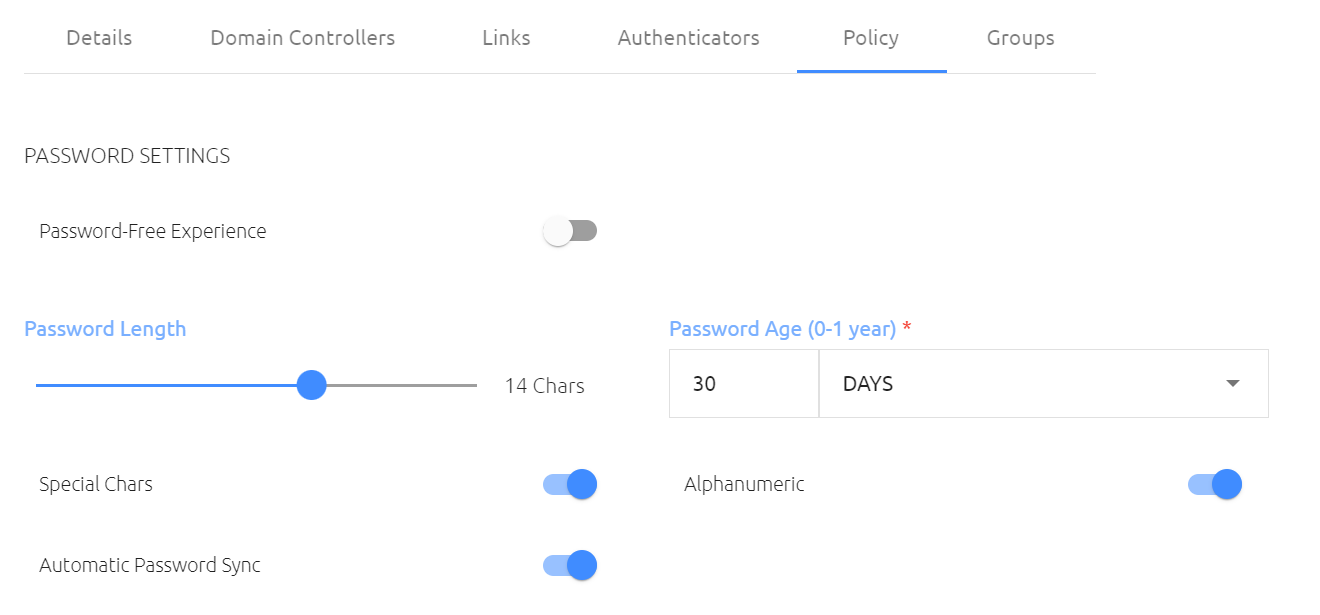
| Setting | Description |
|---|---|
| Password-Free Experience | Used with the Octopus Desk credential provider to avoid changing the user's password during the initial flow. The user enters their password once, completes Octopus authentication, and the credential is vaulted so the user is not prompted for the password again. |
| Password Length | Defines the length of the generated Active Directory password. This must meet or exceed the minimum length required by the Active Directory password policy. |
| Password Age | Defines when the platform should rotate the user's password. If the user's password is older than this setting and the workstation can reach Active Directory, the password can be rotated during authentication. |
| Special Characters | Controls whether generated passwords include special characters such as !, @, #, $, %, ^, &, and *. |
| Alphanumeric | Controls whether generated passwords include letters and numbers. |
| Automatic Password Sync | When enabled, the platform can rotate the user's password if the Active Directory password is out of sync with the vaulted credential. |
Authenticator Options
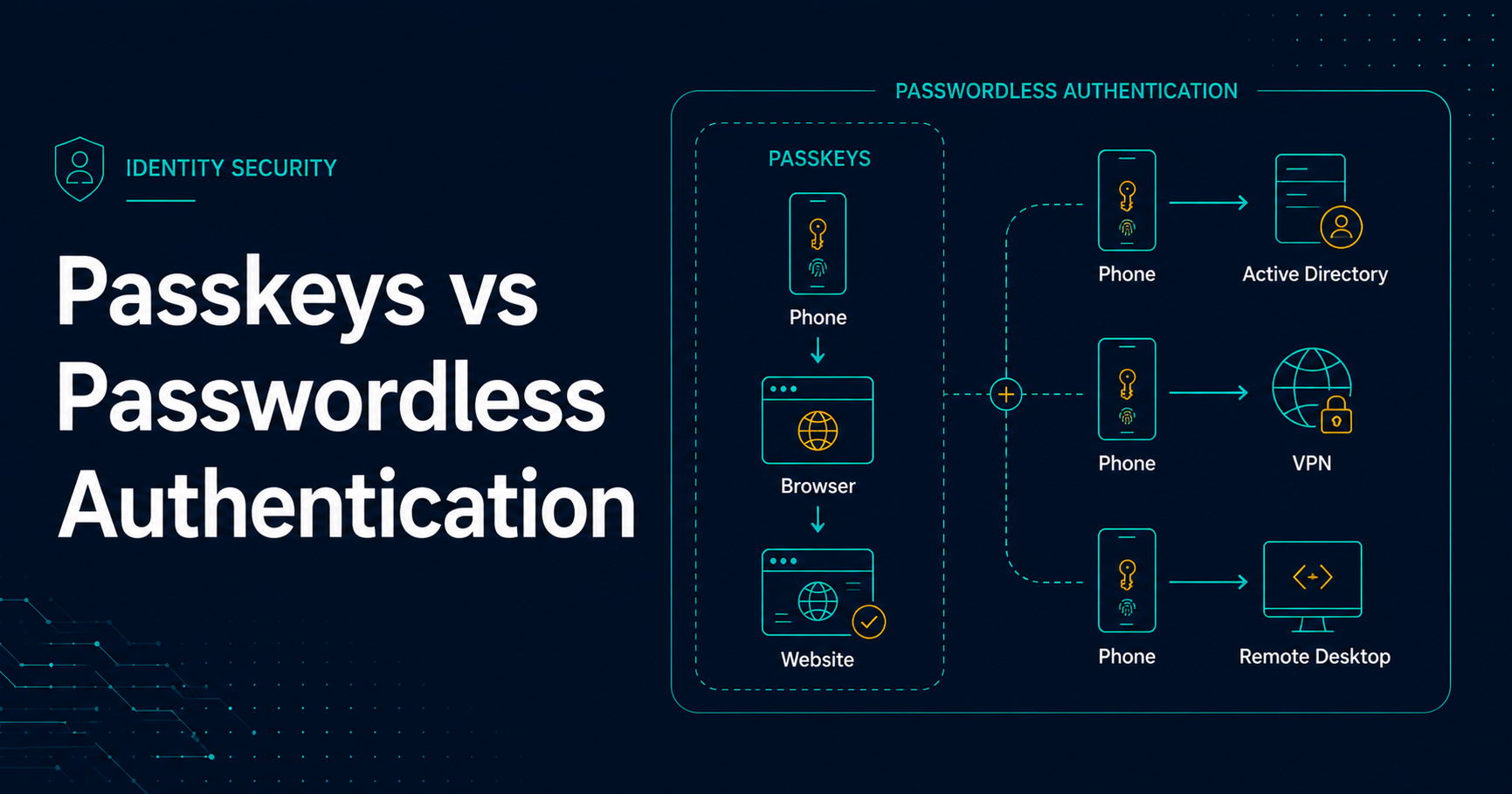
Secret Double Octopus supports multiple authenticator options, giving organizations flexibility for different user populations, security requirements, workstation scenarios, and existing identity investments.
| Authenticator | Description | Typical Use | Phishing Resistant? |
|---|---|---|---|
| Octopus Authenticator App | Mobile authenticator designed for the Secret Double Octopus platform. | Android and iOS support, push approval, encrypted workflows, BLE high-assurance workstation login, offline authentication support, and Active Directory credential retrieval. | Yes |
| FIDO2 Keys | Hardware-backed passwordless authentication using FIDO2 security keys. | NFC tap authentication, USB security key authentication, physical presence validation, biometric options, and PIN-based authentication. | Yes |
| Passkeys | Device-based passwordless authentication without requiring a dedicated authenticator app. | Useful for SAML authentication and credential retrieval workflows. At the time of the original platform review, passkeys were not yet supported for workstation login. | Yes |
| Certificate Authenticator | Certificate-based authentication that can integrate with existing PKI and smartcard investments. | Supports smartcards and HID badges using certificates without requiring native Active Directory smartcard logon conversion. | No |
| OTP | One-time passcode authentication using hardware or software tokens. | Supports hardware tokens and software OTP clients such as Google Authenticator and Microsoft Authenticator. | No |
| ForgeRock | Third-party authenticator integration for organizations using ForgeRock. | Allows use of existing ForgeRock deployments, trees, and custom applications built with ForgeRock SDKs. | No |
| Okta Verify | Third-party authenticator integration for organizations using Okta. | Allows Okta Verify as the mobile authenticator when Okta policy enforces MFA push. | No |
| Duo | Third-party authenticator integration for organizations using Duo. | Uses Duo push notifications and Duo policy controls for authentication workflows. | No |
| RSA | Third-party authenticator integration for organizations using RSA. | Integrates with existing RSA deployments and uses RSA push notification and policy workflows. | No |
Implementation Considerations Before Rollout
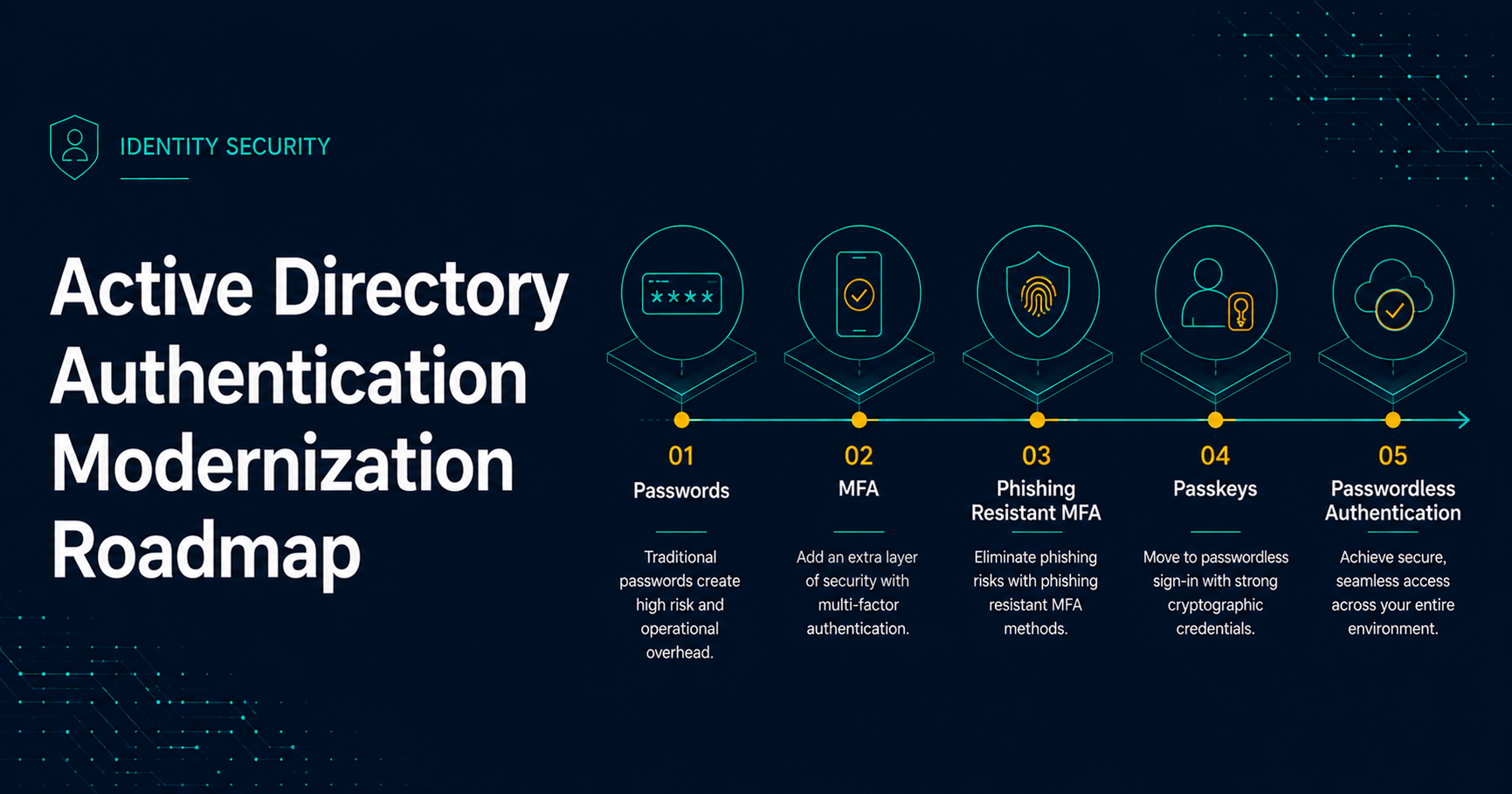
A successful passwordless rollout depends on more than installing a credential provider. Active Directory policy, endpoint readiness, user enrollment, helpdesk procedures, network reachability, and fallback workflows should all be defined before broad deployment.
Key Planning Areas
- Active Directory password policy alignment: Confirm that generated password settings meet domain and fine-grained password policy requirements.
- Domain controller reachability: Workstation login and password rotation workflows require reliable connectivity to a domain controller when rotation is expected.
- Endpoint deployment: Plan deployment and update processes for the workstation credential provider.
- Authenticator enrollment: Define enrollment, replacement-device, and lost-device workflows before production rollout.
- Privileged account handling: Determine how administrator accounts, Run-as workflows, service accounts, and emergency access accounts will be handled.
- Offline authentication: Validate supported offline workflows for users who travel or work in disconnected environments.
- Helpdesk readiness: Update support procedures so technicians understand the new sign-in, recovery, reset, and escalation paths.
- Phased rollout: Start with pilot users, validate operational edge cases, and then expand to additional groups.
How DBT Helps with Passwordless Authentication Projects
DBT helps organizations evaluate whether passwordless authentication is a fit for their environment, then assists with design, implementation, testing, rollout, and ongoing support. For Active Directory environments, this includes workstation login, administrative prompts, VPN authentication, Remote Desktop, SAML applications, legacy application considerations, and operational readiness.
If you are evaluating Secret Double Octopus or need help modernizing authentication for Active Directory, DBT can help map the right deployment path for your users, administrators, applications, and compliance requirements.