
Understanding the Difference Between Passkeys and Passwordless Authentication
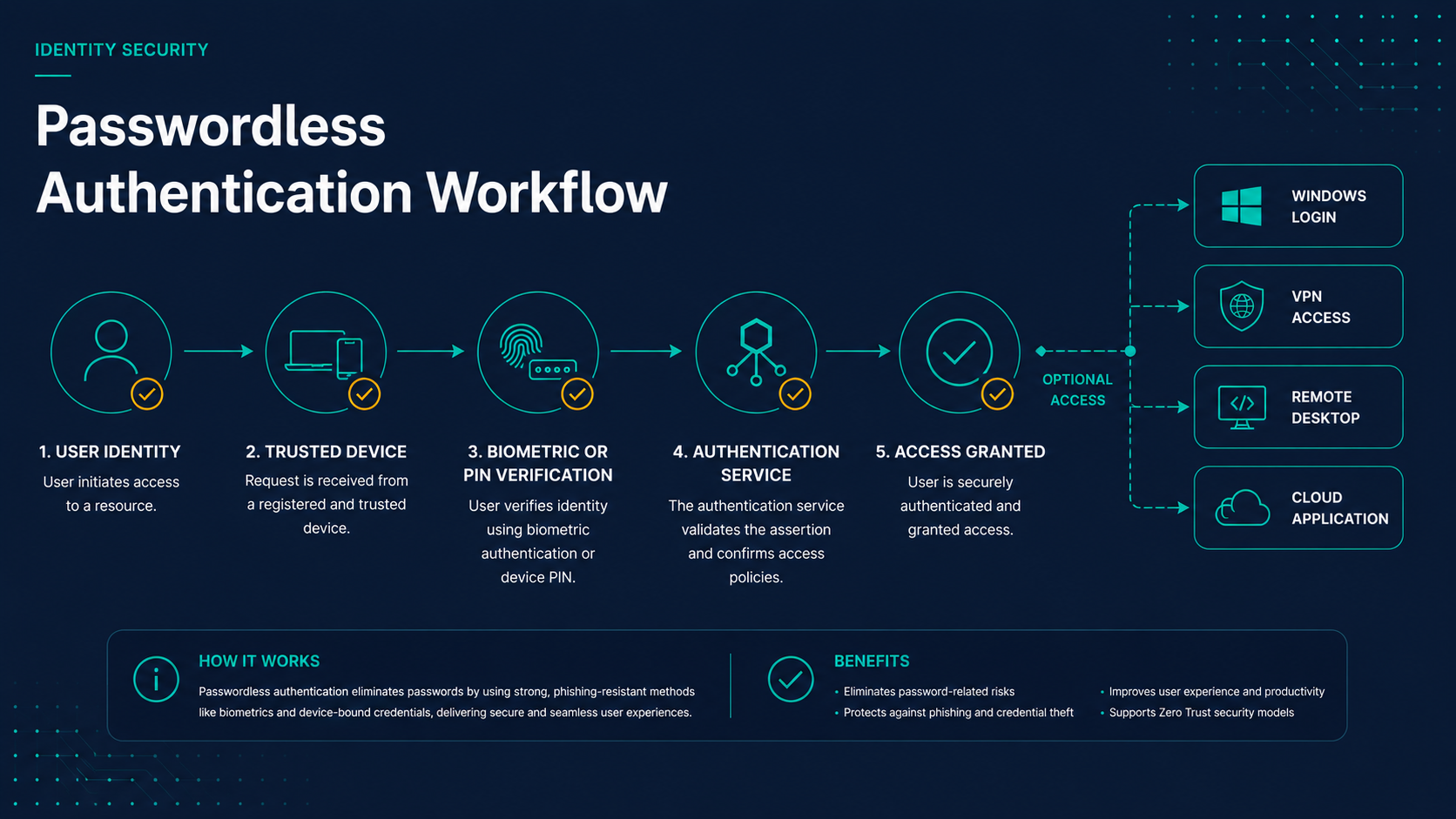
As organizations move away from passwords, two terms appear constantly in vendor marketing, security guidance, and identity modernization discussions: passkeys and passwordless authentication.
While the two concepts are closely related, they are not the same thing. In fact, many authentication solutions support passwordless authentication without using passkeys, and some passkey deployments only solve a portion of an organization's overall authentication challenges.
Understanding the distinction is important when evaluating authentication strategies, especially for organizations that still operate Active Directory, VPNs, Remote Desktop Services, legacy applications, and other systems that cannot immediately move to modern cloud-native authentication models.
Key Takeaways
- Passkeys are one form of passwordless authentication.
- Passwordless authentication is a broader category than passkeys.
- Many organizations need passwordless solutions that extend beyond web applications.
- Passkeys excel in cloud-native environments.
- Passwordless platforms often bridge modern and legacy authentication systems.
What Is Passwordless Authentication?
Passwordless authentication refers to any authentication method that eliminates the need for users to enter passwords during the authentication process.
Instead of typing a password, users authenticate using trusted devices, security keys, biometrics, certificates, cryptographic credentials, or other approved authentication factors.
The primary objective is simple:
- Reduce password exposure
- Prevent credential theft
- Improve user experience
- Reduce password-related support costs
Passwordless authentication is a strategy and outcome, not a single technology.
What Are Passkeys?
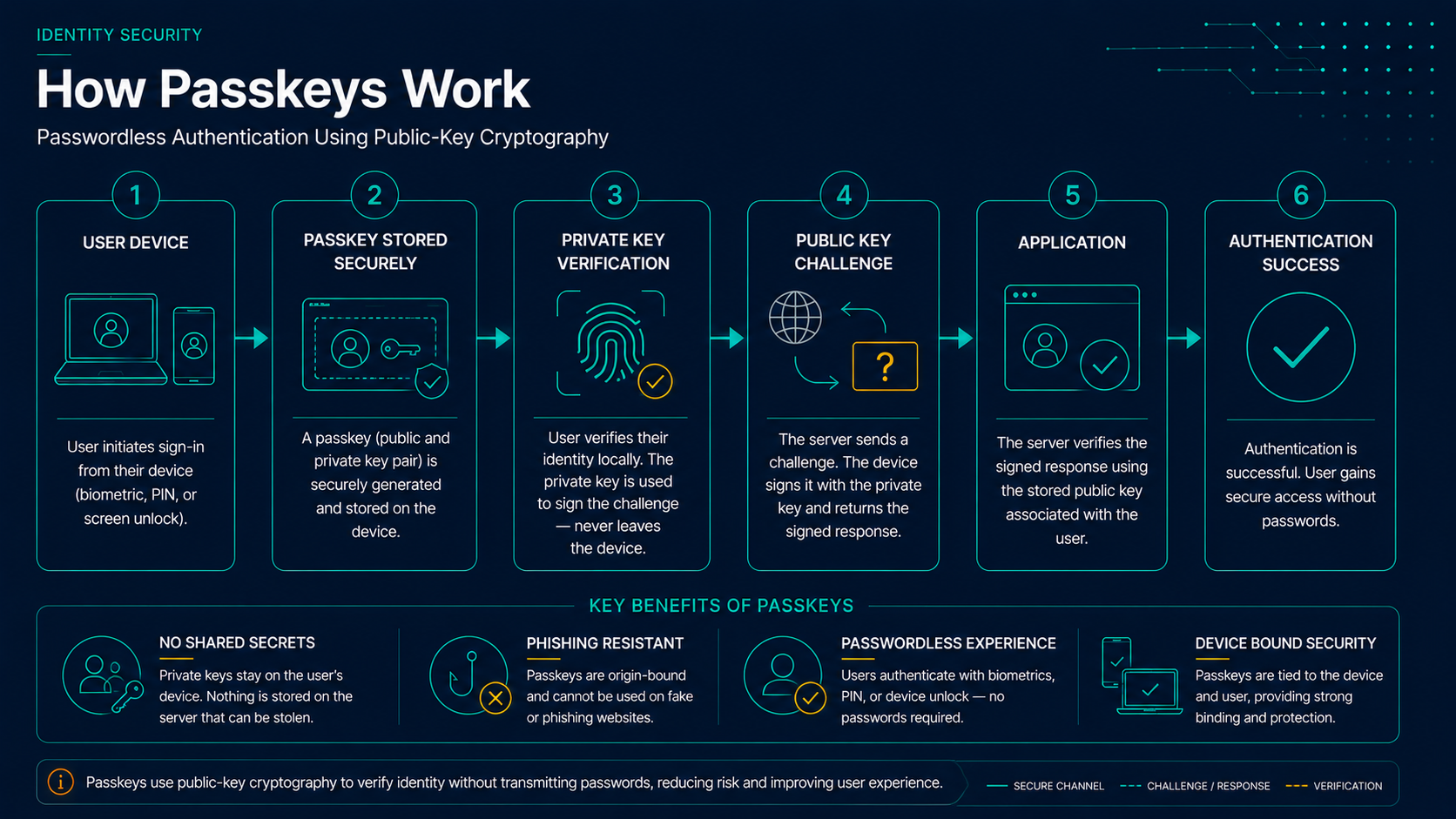
Passkeys are a specific implementation of passwordless authentication built on FIDO2 and WebAuthn standards.
Rather than relying on passwords, passkeys use public-key cryptography. A private key remains securely stored on a trusted device while a public key is registered with the service being accessed.
When authentication occurs, the device proves possession of the private key without exposing it.
Major passkey ecosystems include:
- Apple Passkeys
- Google Passkeys
- Microsoft Passkeys
- Password Manager-based Passkeys
How Passkeys and Passwordless Authentication Relate
One of the easiest ways to understand the relationship is to think of passkeys as a subset of passwordless authentication.
Every passkey implementation is passwordless authentication, but not every passwordless authentication solution uses passkeys.
Key Relationship
Every passkey deployment is a form of passwordless authentication, but not every passwordless authentication solution relies on passkeys.
- Passwordless authentication is the broader strategy.
- Passkeys are one implementation of that strategy.
- FIDO2 and WebAuthn provide the technical foundation.
- Organizations often combine multiple authentication technologies.
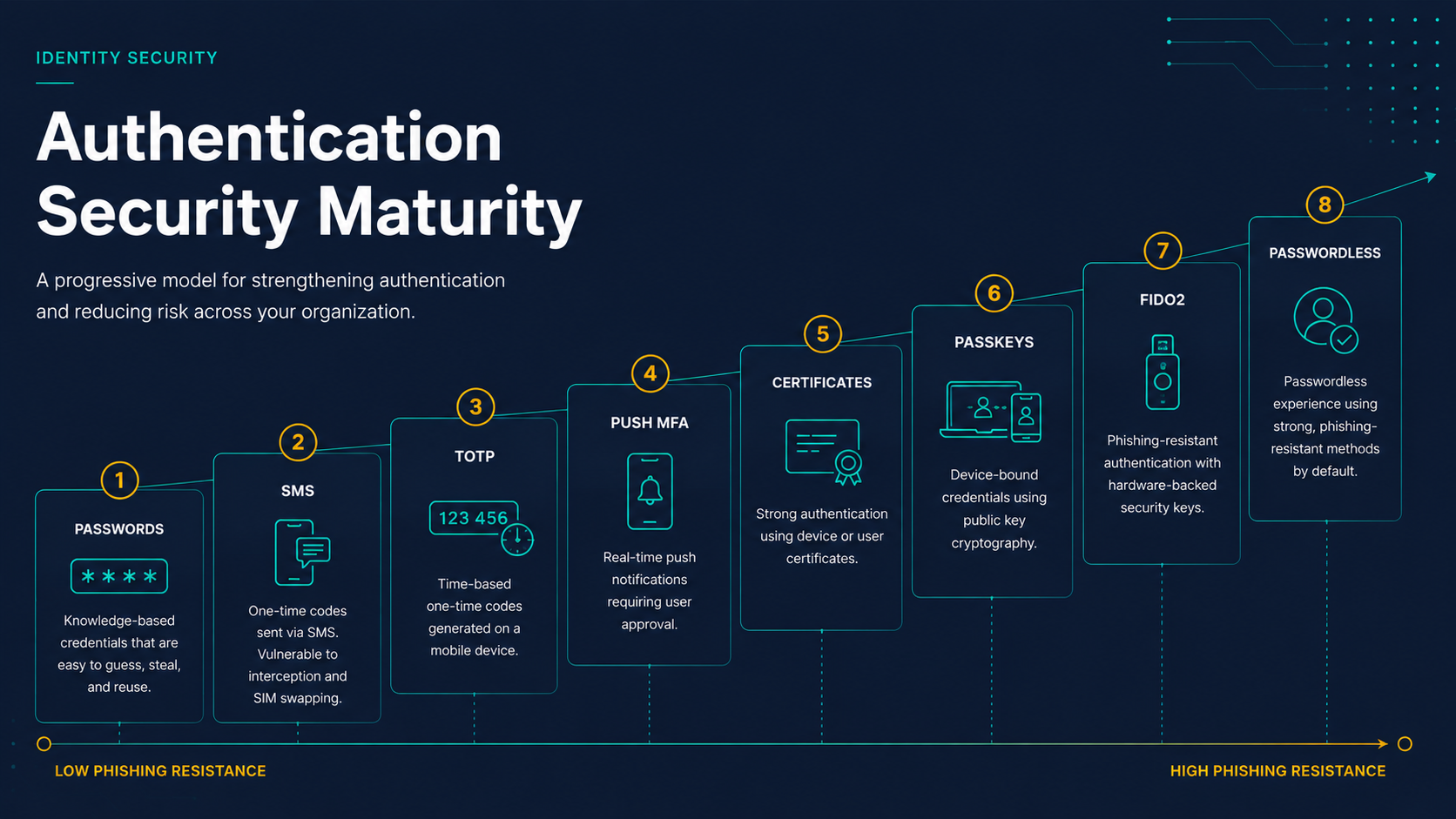
Passkeys vs Passwordless Authentication
| Capability | Passkeys | Passwordless Authentication |
|---|---|---|
| Password-Free Sign-In | Yes | Yes |
| Phishing Resistant | Yes | Depends on implementation |
| Cloud Application Support | Excellent | Varies |
| Legacy Application Support | Limited | Often Stronger |
| Active Directory Integration | Limited | Often Supported |
| VPN Authentication | Limited | Often Supported |
| RDP Authentication | Limited | Often Supported |
| Workstation Login | Emerging | Widely Available |
Where Passkeys Excel
Passkeys are particularly effective in cloud-native environments where applications already support modern authentication standards.
- Microsoft 365
- Google Workspace
- Salesforce
- Modern SaaS applications
- Consumer-facing web applications
For these environments, passkeys often provide a seamless user experience while delivering strong phishing resistance.
Where Passwordless Platforms Excel
Many organizations still rely on systems that were never designed for passkeys.
Examples include:
- Active Directory workstation login
- Remote Desktop Services
- VPN authentication
- Legacy line-of-business applications
- Administrative credential prompts
- Hybrid identity environments
This is where passwordless authentication platforms often play an important role. They extend passwordless experiences into environments that still depend on traditional authentication workflows behind the scenes.
Enterprise Passwordless Use Cases
- Active Directory workstation login
- VPN authentication
- Remote Desktop access
- Administrative credential prompts
- Legacy application access
- Hybrid identity environments
Do Organizations Need Both?
In many cases, yes.
Organizations frequently deploy passkeys for cloud applications while simultaneously using broader passwordless authentication platforms to address workstation login, VPN access, privileged authentication, and legacy systems.
Rather than competing technologies, passkeys and passwordless authentication often complement one another.
Migration Roadmap
Most organizations achieve the best results by adopting passkeys and passwordless authentication in stages rather than attempting a full migration at once.
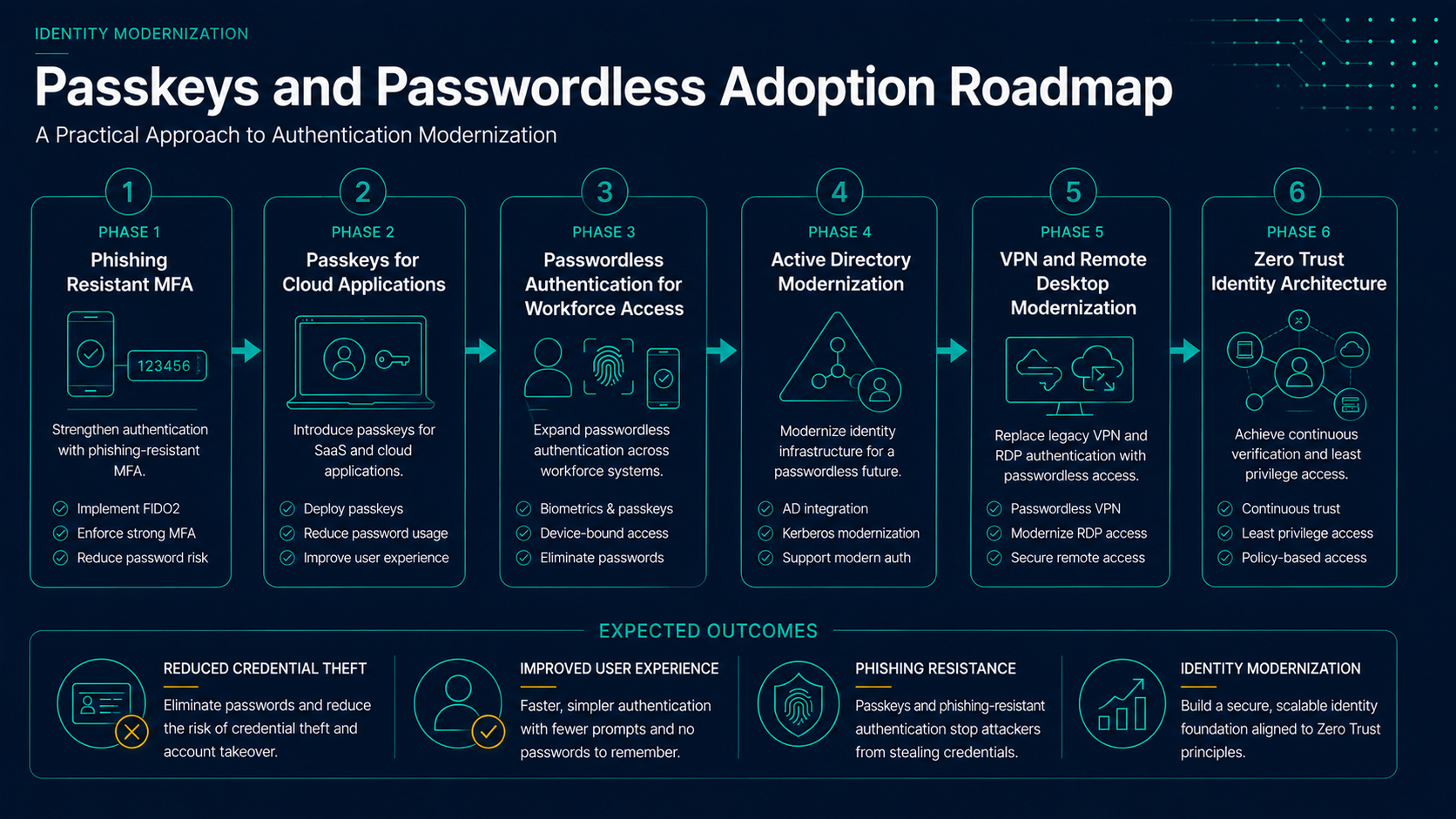
- Phase 1: Deploy phishing-resistant authentication for administrators.
- Phase 2: Introduce passkeys for supported cloud applications.
- Phase 3: Expand passwordless authentication to workforce access workflows.
- Phase 4: Modernize Active Directory, VPN, and Remote Desktop authentication.
- Phase 5: Align authentication controls with broader Zero Trust initiatives.
How This Fits Into Identity Modernization
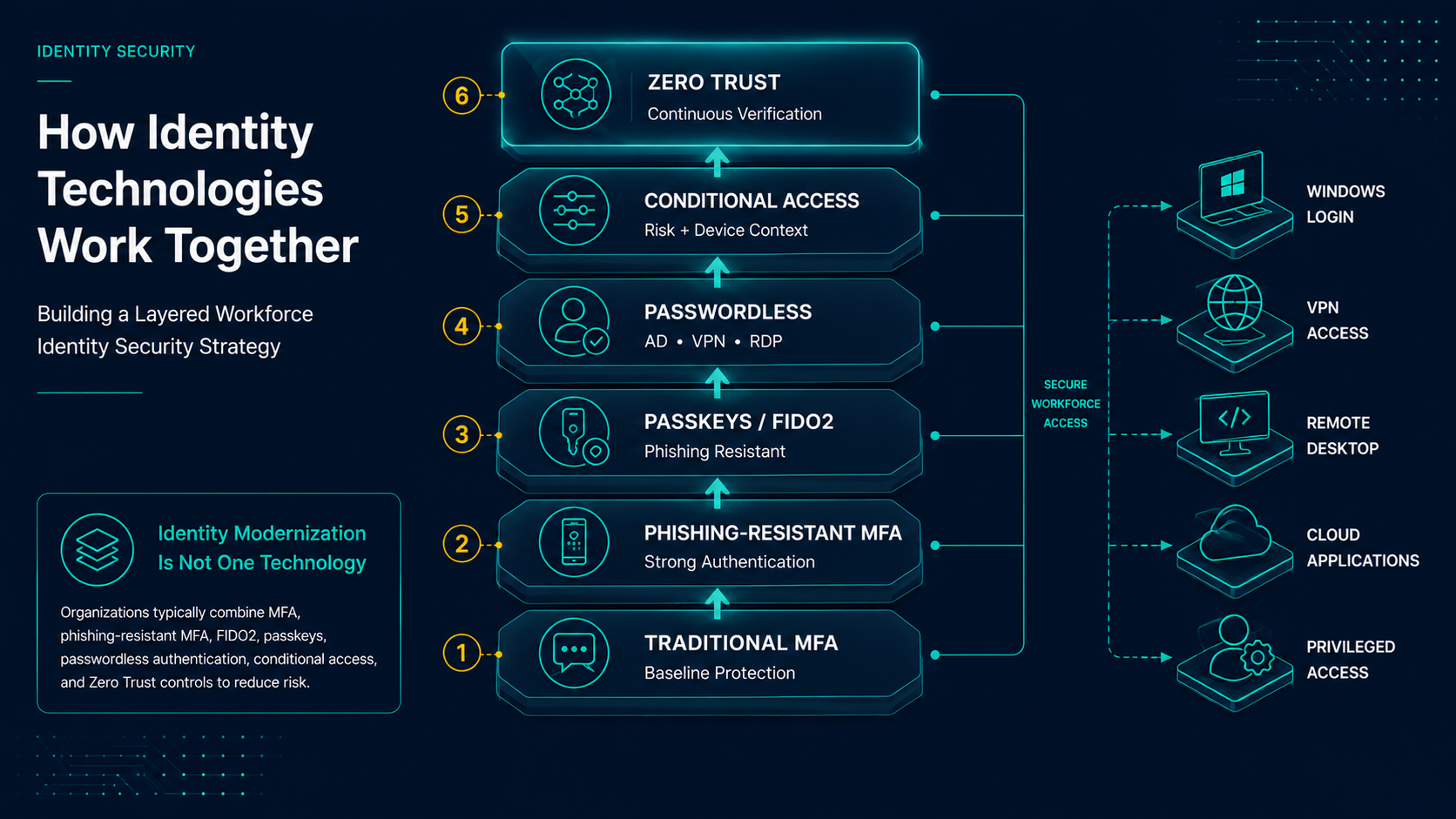
Most identity modernization projects involve multiple technologies rather than a single solution.
Organizations commonly combine:
- Passkeys
- FIDO2 Security Keys
- Passwordless Authentication Platforms
- Conditional Access Policies
- Phishing-Resistant MFA
Rather than selecting a single authentication technology, most organizations adopt a layered approach that combines passkeys, phishing-resistant MFA, passwordless authentication platforms, device trust, and conditional access controls. The goal is to reduce password dependence while maintaining compatibility with both modern and legacy environments.
The right combination depends on application requirements, legacy dependencies, user populations, and security objectives.
For additional guidance, see:
- Phishing-Resistant MFA Explained
- FIDO2 vs Traditional MFA
- Passwordless Authentication for Active Directory
Final Thoughts
Passkeys and passwordless authentication are closely related, but they solve different parts of the authentication modernization challenge.
Passkeys provide an excellent user experience and strong phishing resistance for modern applications. Passwordless authentication platforms extend those benefits into the broader enterprise ecosystem, including Active Directory, VPNs, Remote Desktop Services, and legacy systems.
Organizations evaluating authentication modernization should understand both technologies and build a strategy that supports modern applications while addressing the realities of existing infrastructure.