
Workforce Identity Modernization Overview
Workforce identity has become one of the most important security control points in the enterprise. Employees, administrators, contractors, remote users, and support teams all rely on authentication workflows that often span Active Directory, cloud identity providers, VPNs, Remote Desktop, SaaS applications, and privileged access systems.
Many organizations still depend heavily on passwords and legacy authentication patterns that were designed for a very different threat landscape. Attackers know this, which is why credential theft, phishing, MFA bypass, password spraying, and session abuse remain common paths into enterprise environments.
Identity modernization is not about replacing every existing system at once. It is about reducing password dependence, strengthening authentication assurance, and improving workforce access security in a way that supports both modern and legacy infrastructure.
Key Takeaways
- Workforce identity modernization should focus on reducing password dependence across users, administrators, and remote access workflows.
- Modernizing authentication does not require replacing Active Directory or existing infrastructure overnight.
- Phishing-resistant MFA, passkeys, FIDO2, and passwordless authentication each play a role in the modernization journey.
- The roadmap should align with practical enterprise workflows such as workstation login, VPN, Remote Desktop, cloud applications, and privileged access.
- Identity modernization creates a stronger foundation for Zero Trust and compliance initiatives.
Why Workforce Identity Modernization Matters
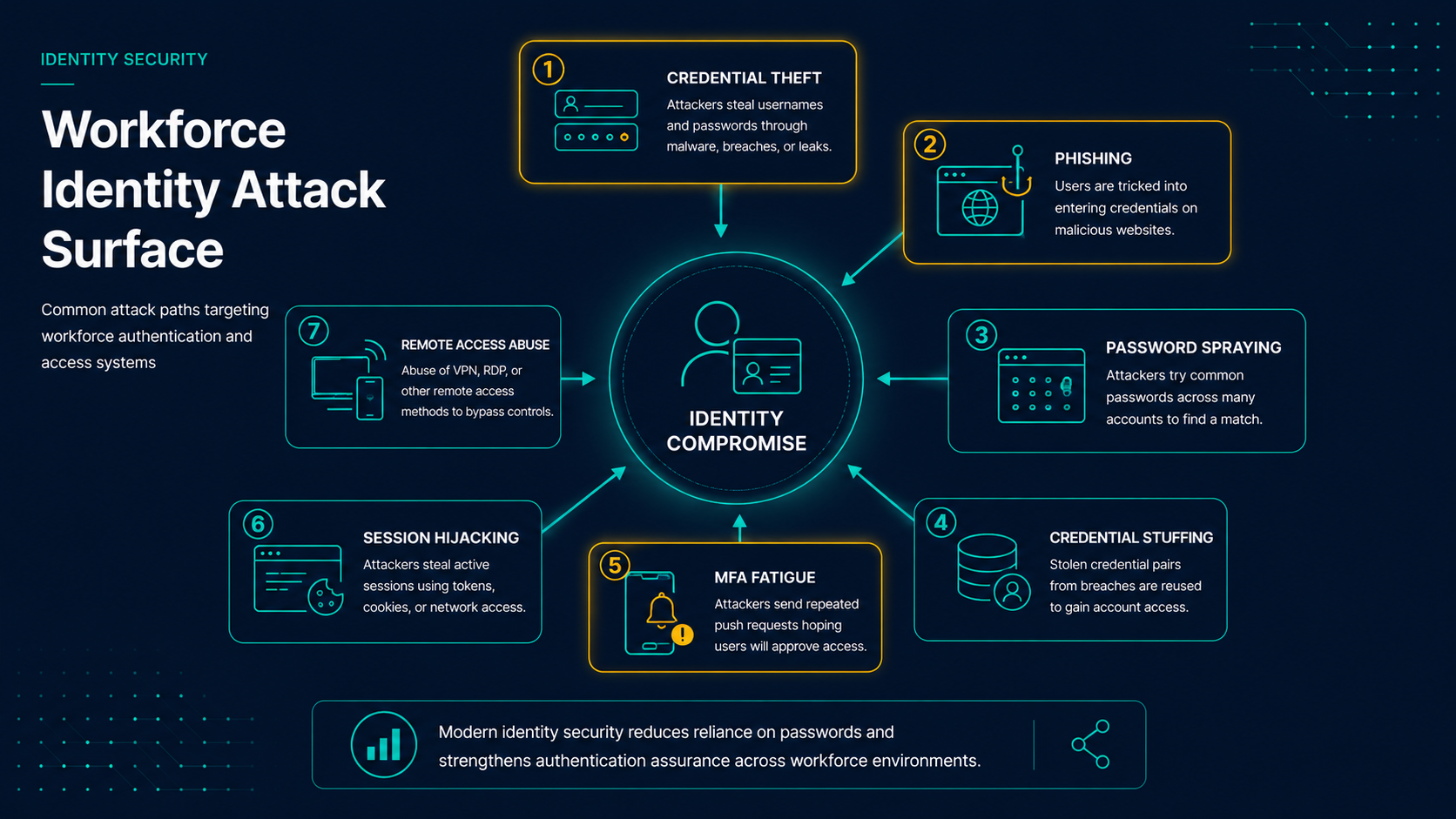
Attackers increasingly target identities rather than systems. Phishing attacks, password spraying, credential stuffing, session theft, adversary-in-the-middle attacks, and MFA fatigue attacks are often easier to execute than exploiting hardened infrastructure directly.
For many organizations, a valid username and password can still provide access to VPN services, Remote Desktop environments, cloud applications, administrative tools, and sensitive business systems.
Modernizing workforce authentication helps reduce that risk by making identity verification stronger, more consistent, and less dependent on reusable credentials.
Common Workforce Authentication Challenges
- Password reuse across enterprise applications and services.
- Password fatigue among employees and administrators.
- Credential phishing targeting cloud applications and remote access portals.
- MFA fatigue attacks against push-based authentication.
- Administrative credential exposure.
- Legacy application dependencies.
- Remote access security concerns.
- Inconsistent authentication controls.
The goal of modernization is to reduce these risks systematically without disrupting business operations.
The Workforce Identity Modernization Journey
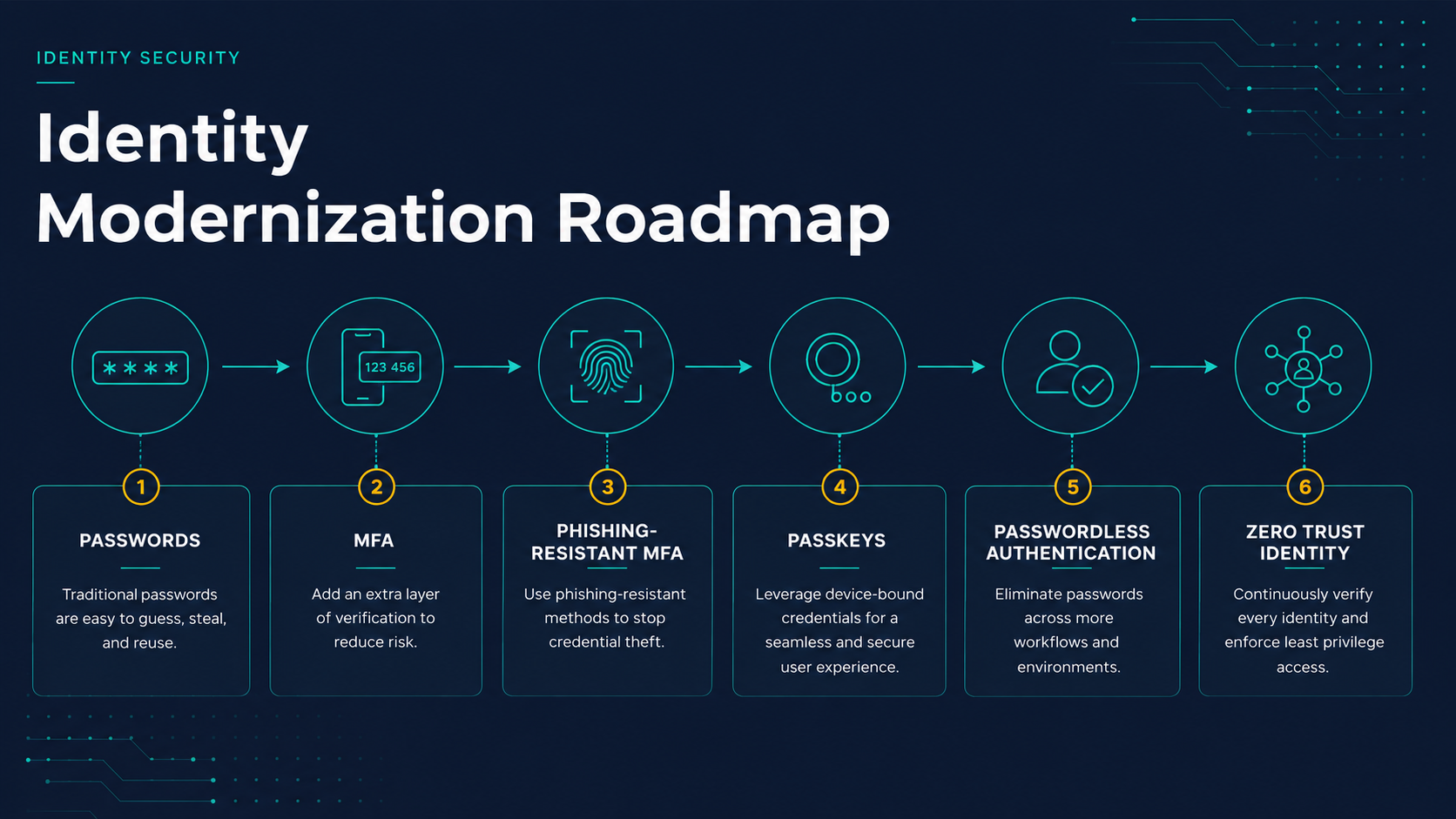
Successful modernization usually follows a staged progression. The goal is not to replace every authentication workflow at once, but to reduce password dependence and improve identity assurance across the workforce over time.
- Passwords: Identify where reusable passwords still create risk across users, administrators, remote access, and legacy applications.
- MFA: Establish broad MFA coverage for workforce access, with priority on privileged users and externally exposed systems.
- Phishing-Resistant MFA: Move beyond SMS, TOTP, and basic push approvals for higher-risk users and workflows.
- Passkeys: Introduce device-bound, cryptographic authentication where supported by modern platforms and applications.
- Passwordless: Reduce routine password entry for workstation login, VPN, Remote Desktop, and enterprise applications.
- Zero Trust: Combine strong authentication with device trust, conditional access, privileged access controls, and continuous risk evaluation.
Stage 1: Understand Password Exposure
The first step is understanding where passwords are still used and where they create the most risk.
- Where employees enter passwords most frequently.
- Which systems are exposed to the internet.
- Which accounts have elevated privileges.
- Which authentication flows rely on legacy protocols.
- Which users or departments face the highest phishing risk.
Stage 2: Strengthen MFA Coverage
Before moving to passwordless authentication, organizations should ensure that MFA coverage is consistent and enforced across the workforce.
- Administrative accounts.
- Remote access systems.
- VPN authentication.
- Remote Desktop access.
- Cloud administration platforms.
- Financial, HR, and executive access.
This stage improves baseline protection but does not fully eliminate phishing risk.
Stage 3: Move Toward Phishing-Resistant MFA
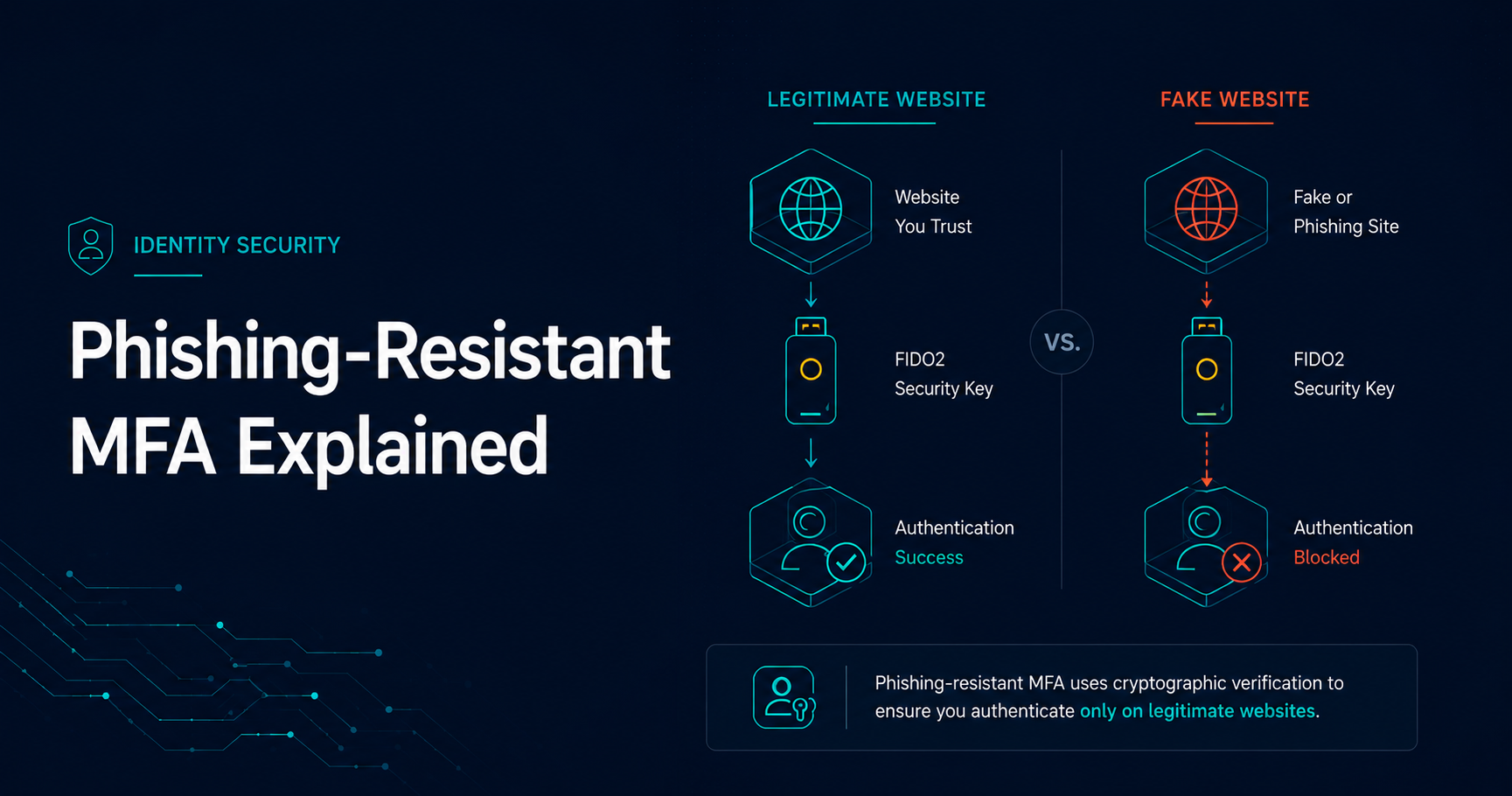
Once MFA is broadly deployed, the next step is reducing exposure to phishing attacks and adversary-in-the-middle techniques.
Common phishing-resistant or stronger authentication technologies include:
- FIDO2 security keys.
- Passkeys.
- Certificate-based authentication.
- Device-bound credentials.
- Passwordless authentication platforms.
These methods provide stronger protection than traditional one-time passcodes and basic push notifications because authentication is bound to the legitimate service, device, or cryptographic exchange.
| Technology | Phishing Resistant | Passwordless | Workforce Fit |
|---|---|---|---|
| SMS MFA | No | No | Basic MFA coverage only |
| Authenticator Apps | No | No | Useful baseline control |
| Push MFA | Partial | No | Convenient but vulnerable to fatigue attacks |
| FIDO2 Security Keys | Yes | Yes | Strong for privileged and high-risk users |
| Passkeys | Yes | Yes | Strong for supported platforms and applications |
| Passwordless Platforms | Yes | Yes | Strong for AD, VPN, RDP, and workforce workflows |
Stage 4: Introduce Passkeys Where They Fit
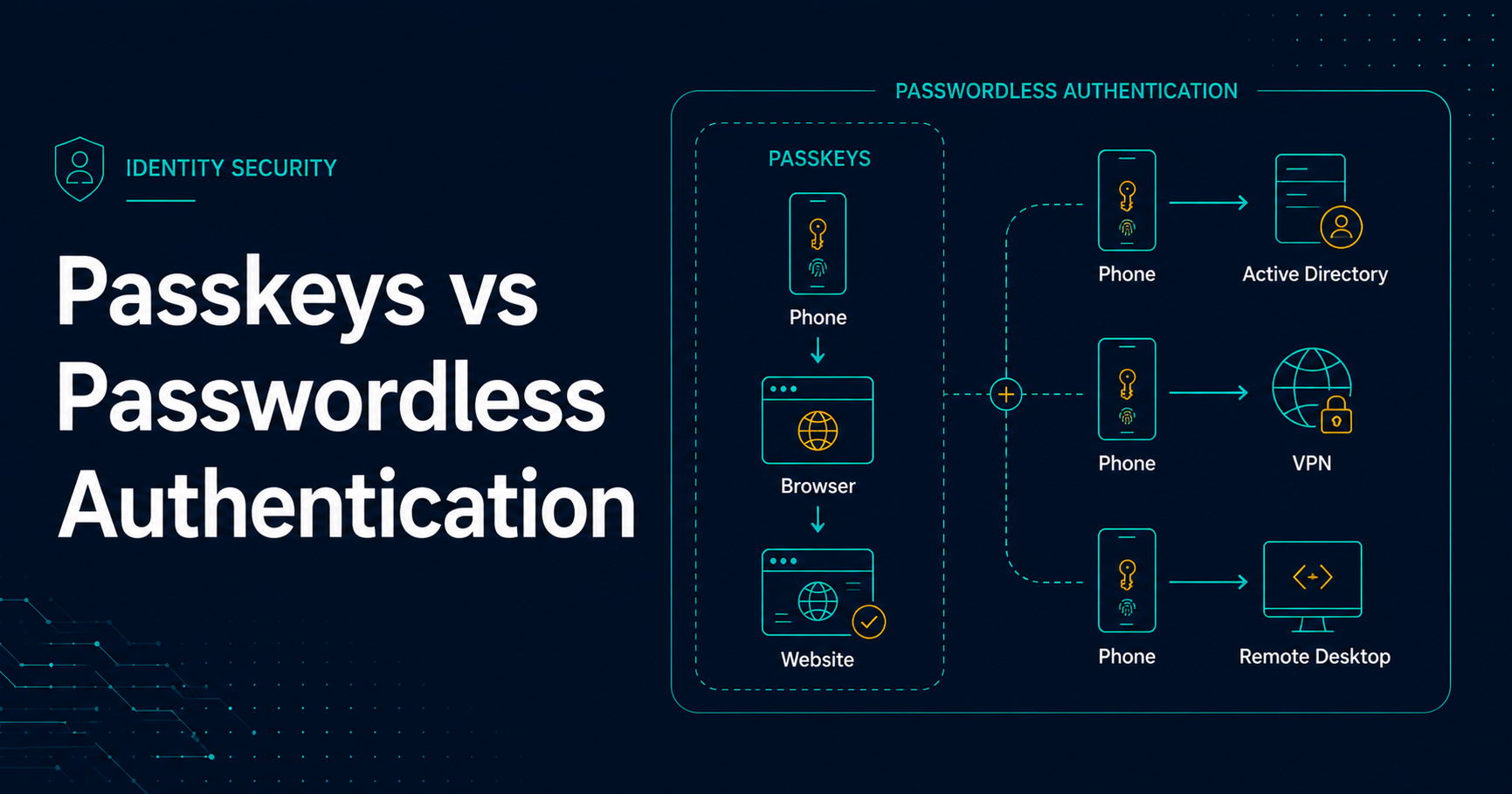
Passkeys are an important part of the modernization journey, especially for cloud applications and platforms that support modern authentication standards.
They help reduce password dependence by using cryptographic credentials that are bound to a device or authenticator. This makes them more resistant to phishing than traditional passwords and many legacy MFA methods.
In workforce environments, passkeys are often most effective when paired with broader identity strategy, device trust, conditional access, and fallback planning for legacy systems.
Stage 5: Modernize Core Workforce Authentication Workflows
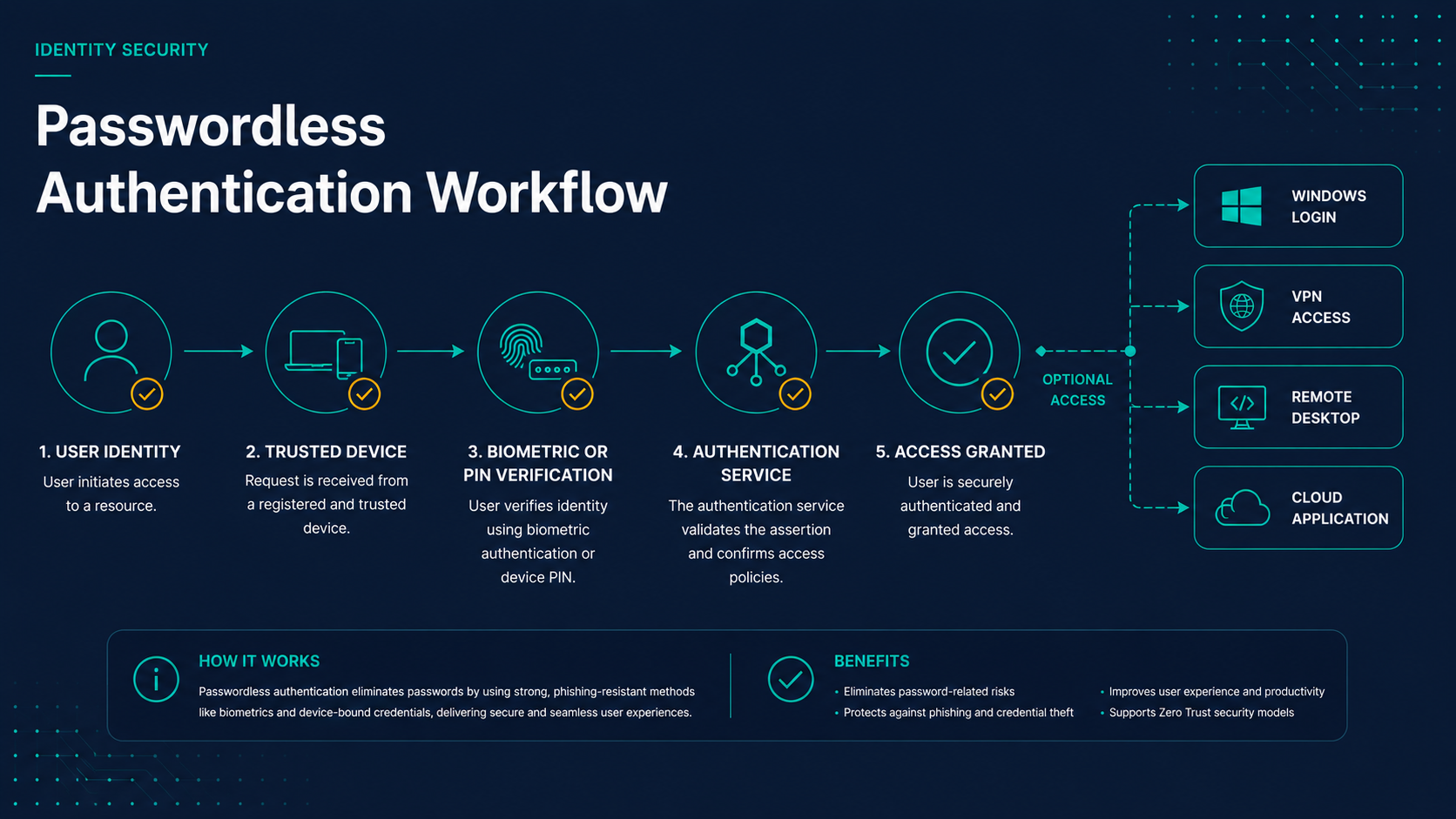
Key Workforce Modernization Targets
Passwordless authentication delivers the greatest value when it removes passwords from daily workforce activities.
- Workstation Login: Reduce routine password entry.
- VPN Access: Strengthen remote access authentication.
- Remote Desktop: Protect administrative and support workflows.
- Privileged Access: Reduce standing administrative credential exposure.
- Cloud Applications: Align SaaS access with phishing-resistant controls.
- Legacy Applications: Develop secure transition strategies.
Stage 6: Align Identity Controls With Zero Trust
Workforce identity modernization naturally supports broader Zero Trust initiatives.
- Conditional access policies.
- Device trust verification.
- Risk-based access controls.
- Privileged access management.
- Session monitoring and continuous evaluation.
- Segmentation of high-risk administrative workflows.
The result is stronger identity assurance across the workforce environment.
Recommended Deployment Sequence
- Phase 1: Administrators, privileged accounts, and identity platform administrators.
- Phase 2: IT operations, help desk, remote support, and security teams.
- Phase 3: Executives, finance, HR, and other high-risk business users.
- Phase 4: VPN, Remote Desktop, and externally exposed workforce access workflows.
- Phase 5: General workforce rollout across supported applications and endpoint login workflows.
- Phase 6: Ongoing optimization with Zero Trust, device trust, privileged access, and conditional access controls.
How the Technologies Work Together
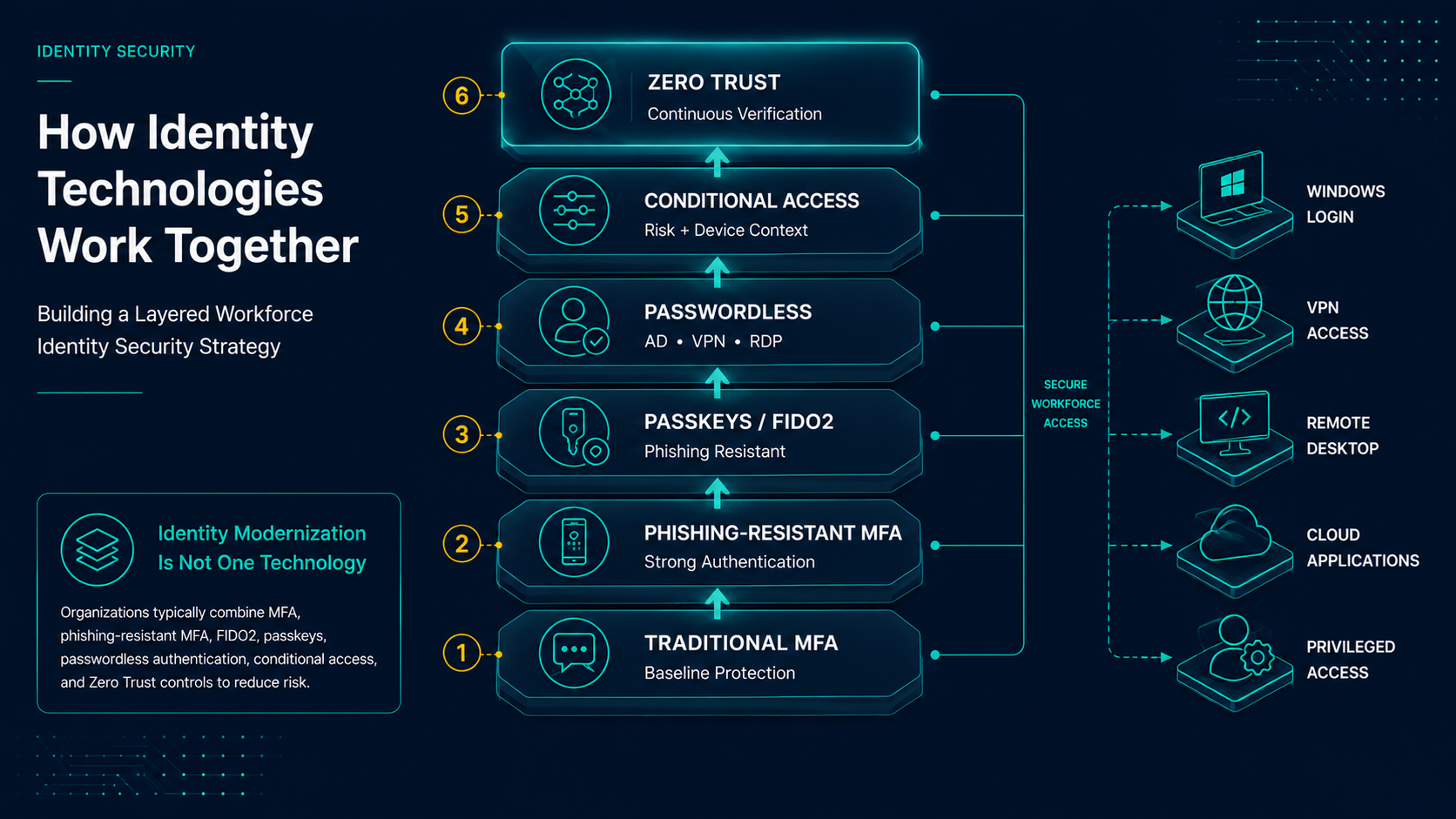
Most organizations use multiple identity controls depending on user role, application support, device posture, and workflow risk.
- Traditional MFA for baseline coverage.
- Phishing-resistant MFA for high-risk users and workflows.
- FIDO2 security keys for administrators and privileged users.
- Passkeys for supported cloud applications and platforms.
- Passwordless authentication for Active Directory, VPN, Remote Desktop, and endpoint workflows.
- Conditional access policies based on risk, location, and device trust.
- Privileged access controls to reduce standing administrative credentials.
The objective is a layered identity security strategy that supports both modern and legacy systems.
Final Thoughts
Identity has become the primary security perimeter for most organizations. Modernizing workforce authentication provides one of the most effective ways to reduce risk while improving user experience and operational efficiency.
By following a phased roadmap, organizations can gradually strengthen authentication controls, reduce password dependence, and build a stronger foundation for future Zero Trust initiatives.